Instead of AdBlock, enjoy ad-free CAN by becoming a member. Everybody wins!

32×32 [iPhone] – Preview

3232_00

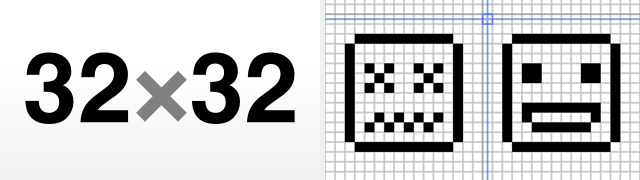
32×32 is simple, and easy to use pixel art editor for the iPhone. Created by Caffeine Monster Software, 32×32 lets you create grayscale pixel graphics on the 32×32 pixel canvas.

When you first open the app you are welcomed by 4 example files. They include a UFO, Smiles, This Side Up and Connected illustration. All four artworks give a good idea of what the app does and how to achieve it. Once you are in the editor, three buttons (as you would expect) include pen, eraser and a paint bucket. Next to these there is the pen colour (choice of 5 shades of grey including black and white) and the undo button. Your canvas has a grid and a crosshair cursor. Because trying to tap on the single pixel would be difficult, you canvas consists of 32×32 10 pixel boxes, each pixel being represented by 10×10 pixels on the iPhone. The crosshair interface lets you draw pixel-perfect art without pixel-perfect fingers. It’s finely tuned to ensure that you don’t colour outside the lines. There are a number of other very clever mini features in the app that make the process of drawing a lot easier. For example, to draw a continuos line you can use two fingers; while moving the cursor, hod down or tap with the other finger, the paintbucket will fill everything within the constraints of a closed share, ie if you draw a circle you can fill it with a colour. Simple, but smart. You can also duplicate artworks if you are working on animation frames and it’s also really easy to email them to yourself or your friends. This is pretty much all you will find in the app. Some may find this too simple, but this is precisely the point.

Here is how Mobeen Fikree (the man behind Caffeine Monster Software) describes the app:

The mantra behind 32×32 (read as: “32 by 32″) is simplicity and usability. Basically, I took the idea of drawing pixel art and stripped it down to its core actions. After that I stripped it down even further. The resulting app is joyfully simple to use, but still pretty powerful. Clearly, 32×32 isn’t interested in being the ultimate pixel art editor. It would end up being bulky, complicated and slow to use. Instead, it is a quick and painless way to get all that pixel art goodness onto a digital canvas, wherever you are. The idea is that you’ll create pixel art on your iPhone, but more advanced work (such as animation) can be done on your computer.

I totally agree with this principle. If you remember our post about Takayuki Fukatsu’s ToyCamera, you may recall something about trying to replicate the workflow process from the desktop onto the iPhone would be wrong. Instead, it is about providing a minimum set of actions to produce the results you can pursue further on the desktop or quickly share right from your iPhone. Some may miss the colour features, and Neil Voss made a very good point about it incorporating old-skool 8-bit color look up tables but then again as great as this could be, why not just have another app that focuses on color pixel art creation. I do very much enjoy the simplicity and in this case, the lack of features.

32×32 won’t make you an artist, replace your pencil or your desktop computer. What is for sure, it’s a wonderful little addition to the ever growing list of art creation tools for the iPhone.

The app will be submitted to the AppStore next week which means it should be available for purchase for $0.99 within 2 weeks or so. Is now available.

For more information, see caffeinemonstersoftware.com

Platform: iPhone
Version: 1.0
Cost: $0.99
Developer: caffeinemonstersoftware
itunes

UPDATE: 22.07.2009
Mobeen has provided us with 3 promo codes to giveaway, ie get the app for free (US ONLY). If you haven’t purchased it already, leave the comment below and we’ll pick the winner by random sometime later today.

3232_013232_023232_033232_04

3232_103232_113232_123232_13

32×32 [iPhone] – Preview from CreativeApplications.Net on Vimeo.

Posted on: 26/06/2009

Posted in: iPhone

Post tags:

  • Pingback: Solid Dots [iPhone]: 3D Pixel art modeler by xionchannel | CreativeApplications.Net

  • http://www.manwomanchild.org/ Manwomanchild

    Awesome. I can't wait to try it. Promo codes?

  • http://twitter.com/darrengeraghty Darren Geraghty

    Promo Code Please!

  • http://ableparris.com/ Able Parris

    This app looks great. Promo code, please.

  • inspired12

    proooomo coode!~

  • http://www.dr-leech.com.ar/ Leech

    I want! :)

  • raoupp

    Looks cool. Basicaly all apps you are giving away here is quality. Keep it going…

  • filip

    Just random picked. Comments 3, 2, 5, codes are on their way.. Enjoy.

  • http://www.didgiwidgi.co.uk/ Canvas Art

    Promo code yet?

  • http://www.didgiwidgi.co.uk/ Canvas Art

    Promo code yet?

  • Pingback: DotEditor [iPhone]: Full color pixel art editor for the iPhone | CreativeApplications.Net

  • itjobs1

    This app looks great. Promo code, please.
    thanks for sharing the information. I am very amazed at the confidence level of you guys, so i have to refer your blog to my friends because it’s really a help full blog.
    http://www.staffingpower.com

  • PixlBhoy

    Reviving an old dead thread here but I found this:

    PixelFu pixel art up to 256 pixesl, true colour, edits favicons, pretty cool

    http://itunes.apple.com/au/app/pixelfu/id374187

  • http://www.personalcanvasart.com/ print on canvas

    Partly, of course, it’s just that canvas art tends to be original. If a person has canvas art on the walls of their home, the chances are that it is the real deal – actual paint on actual canvas. And that lends an air of authenticity not just to the painting but to the room. Decorating with canvas art shows that the person doing the decorating is concerned enough about their home to make an effort.

  • Eugene Kiyanov

    I’m using Pixart Studio, 
    it’s can make animation, share as png sequences via mail
    and it’s more handlyhttp://itunes.apple.com/ru/app/pixart-studio/id405863912?mt=8