 There are times when watching your mac go to sleep can be very irritating. For example, you may be working beside your computer doing things non-computer related but when you want to see something your mac, your realise it has gone to sleep. The same applies to the screensavers. Yes, we love them, but at times we want our mac with us all the times. On another hand, we know how important Energy Saving settings are but going into your System Settings every time to turn it off and on can be a lengthy task. This is where Caffeine comes in.
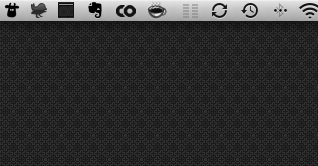
Caffeine is a tiny program that puts an icon in the right side of your menu bar. Click it to prevent your Mac from automatically going to sleep, dimming the screen or starting screen savers. Click it again to go back. Hold down the Command key while clicking to show the menu.
Simple, yet incredibly useful. Download it here.
Platform: Mac
Version: 1.0.3
Cost: Free
Developer: Lighthead
Download
[xrr rating=5/5]