Last December, 3 artists were working at The University of Salford, as part of the ScreenLab artist in residence initiative by Elliot Woods and Kit Turner. The initiative aims to explore modes of perception and interaction under the theme ‘Future of Broadcast’. The invited artists, Kyle McDonald (USA), Joanie Lemercier (France) and Joel Gethin Lewis (UK) spent over 2 weeks developing open source tools and methods for future students and artists (on and off campus) to remix and re-use. This process also included contributions from a group of talented on-campus students within the arts and art-technology crossover and students who were involved with not in learning, but also in the creation of new digital media techniques.
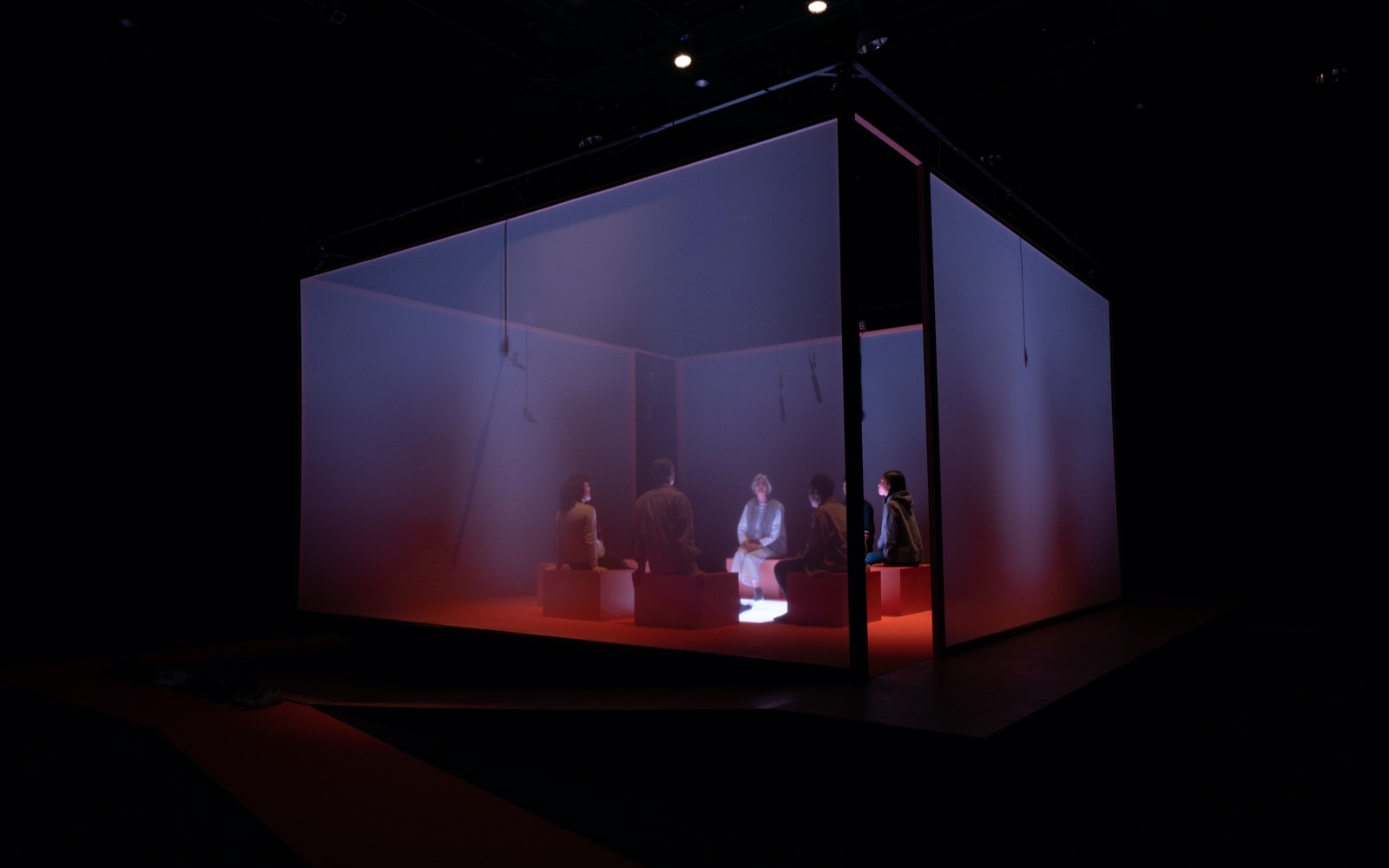
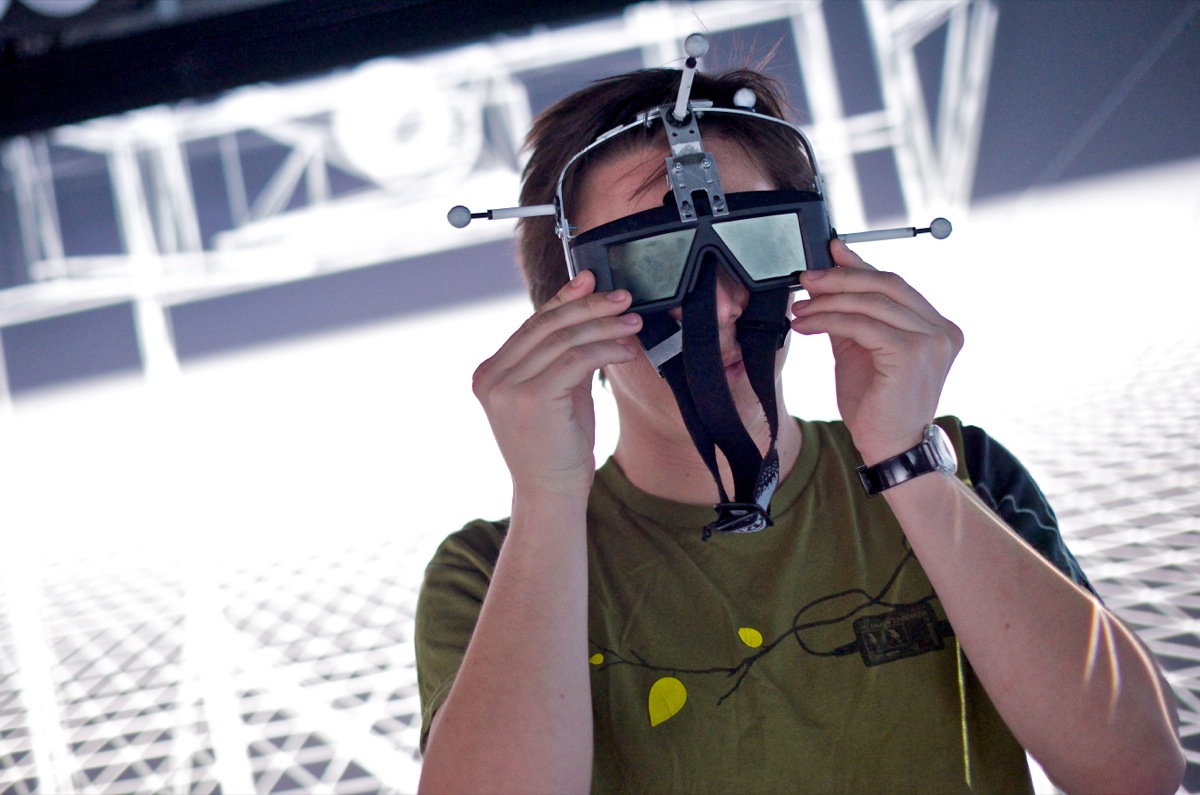
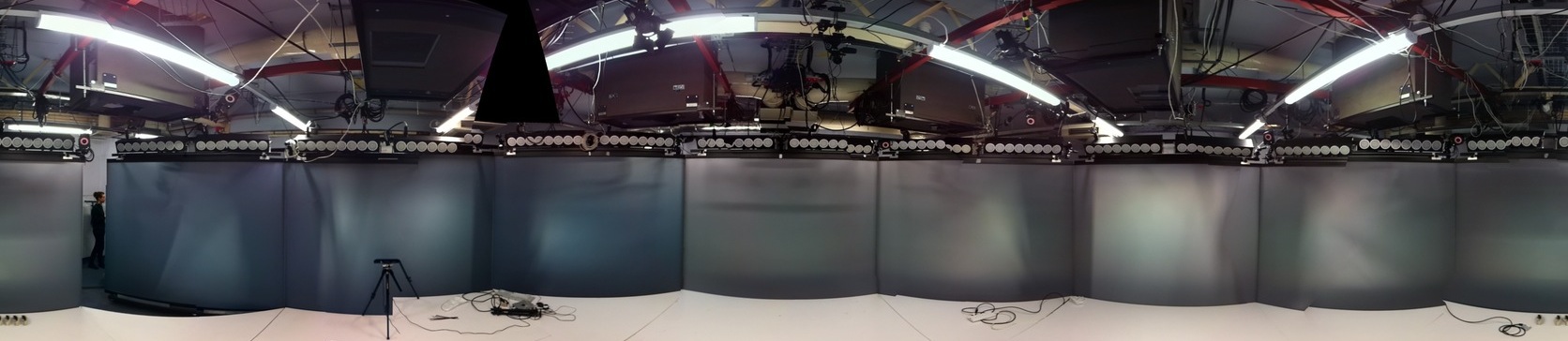
Two teams were formed, overseen and supported by the events’ co-curator and participant Elliot Woods. Using the ‘Octave’, a state of the art virtual reality suite, Joanie Lemercier and Kyle McDonald inspired by the 360 B.C., philosopher Plato, worked on a project that evolves around four classical elements — earth, air, water and fire which take the geometric form of four regular, convex polyhedrons in the immersive virtual reality environment.
At the University of Salford’s new campus, the new MediaCityUK building, Joel Gethin Lewis was investigating low light photography with the help of the photographer Richard Meftah. In collaboration with Sunjoy Prabakaran also, he worked on how one can simulate light beam effects on large scale projections, and how they can be controlled interactively, in real time.
The long-term results of this residency are a collection of ideas, fragments of code and new techniques created to explore the implications of new modes of perception.
Kyle McDonald & Joanie Lemercier – Aether
The piece by Joanie Lemercier and Kyle McDonald celebrated the five Platonic solids in an unusually immersive virtual reality environment: a space where, without geometric primitives, there would be nothing. Using 14 projectors mapped in a CAVE, with head tracking, projection mapping, stereo 3d, motion capture, and wave field synthesis, an absorbing audiovisual space is presented for explored by a single visitor. While interfacing with the CAVE proved challenging, the duo created a number of varied outputs all revolving around the theme described above.
DepthAO
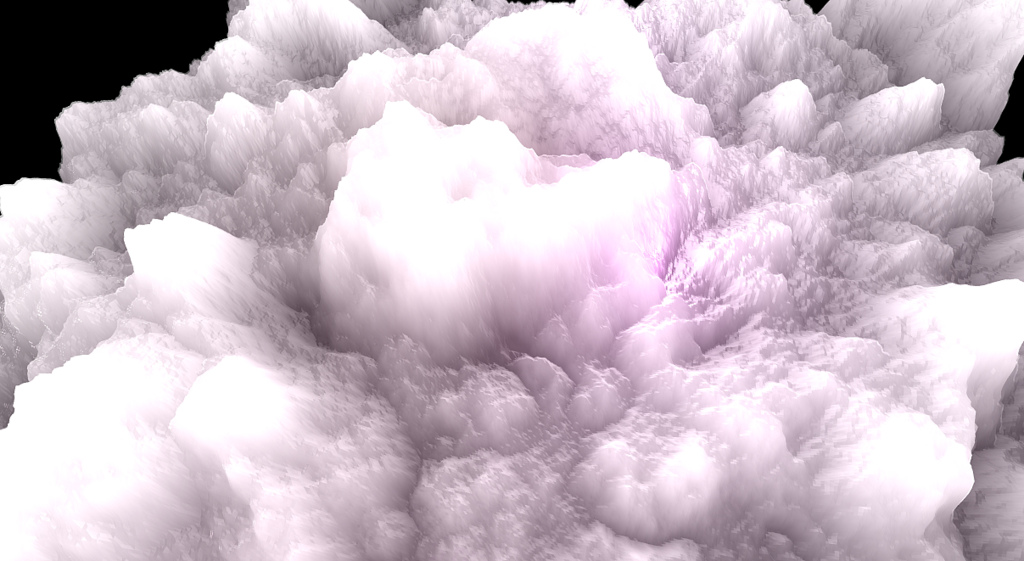
Inspired by Joanie’s use of ambient occlusion and other high level shader effects in vvvv, Kyle tried imitating some of Joanie’s look with OF. This example was a quick test of a technique for creating ambient occlusion on a landscape by simply taking a high pass filter on the depth map. While combining the ambient occlusion effect with directional lighting, Kyle accidentally created a bug that caused the landscape to look like internally illuminated clouds.
InfiniteTunnel
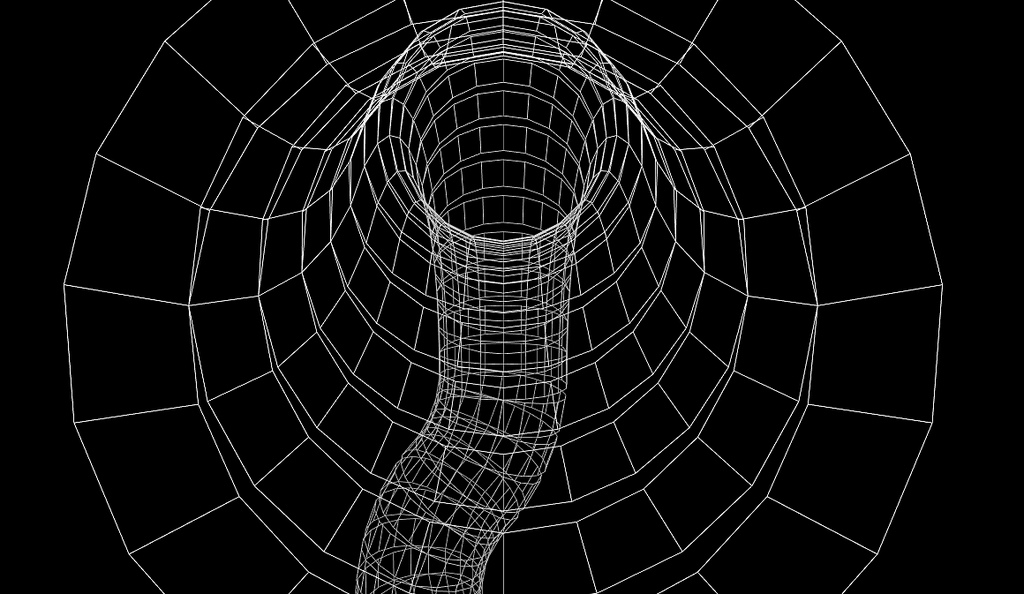
This is the initial version of a transition effect that structurally imitates some of the classic “outer space”, “wormhole” transitions from sci-fi films. Kyle left this version in a really simplified state in order to explain the principle of how the tunnel is generated.
Meteorite
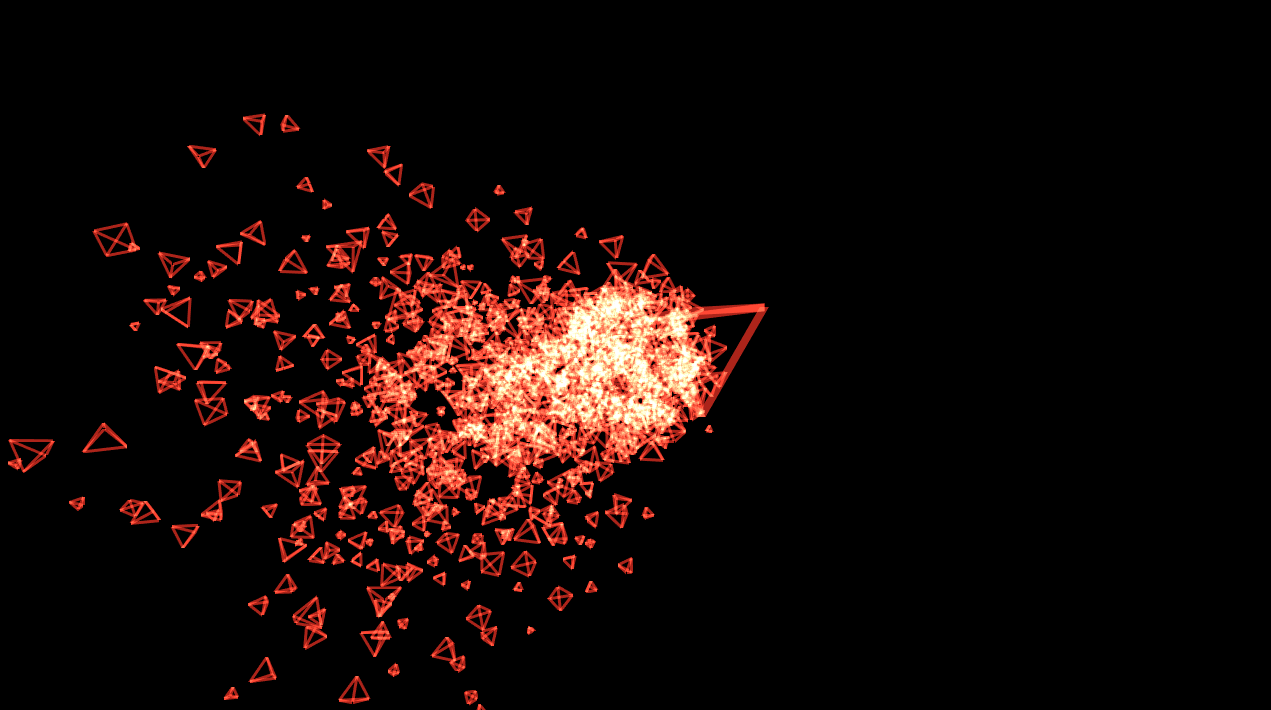
This quick sketch was meant to be used as an element within one of the scenes where pyramidal meteorites rain down from above. It is directly based on a sketch in Joanie’s sketchbook that they both liked.
OctaveAudioControl
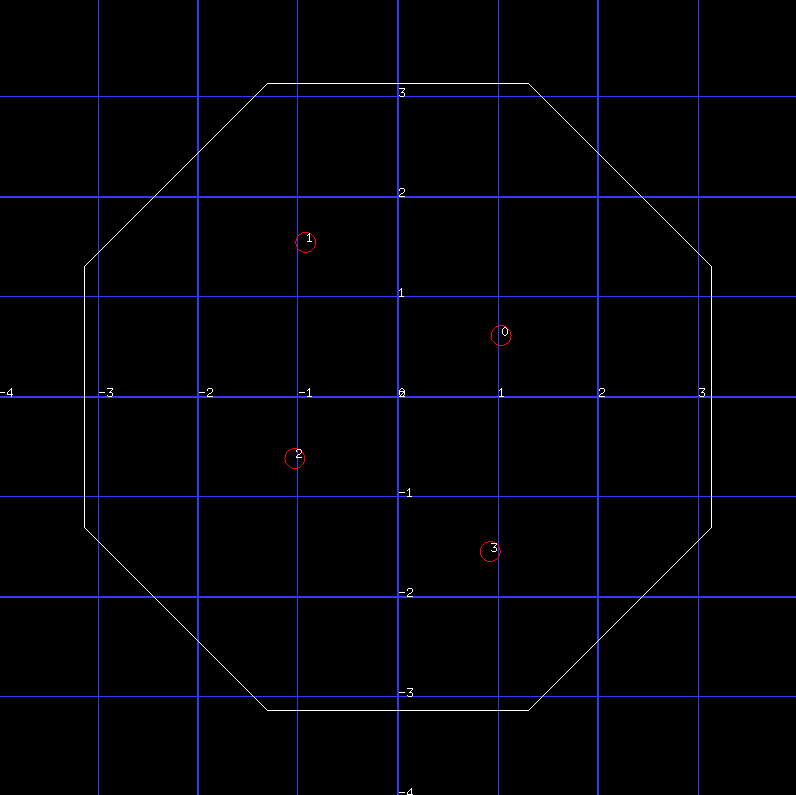
Part of the installation interfaces with the wave field synthesis system to create a spatial soundscape. This app that was only used during testing, but not used in the final piece. It allowed the team to position a point in space and the sound would adjust accordingly. If more than one person were located in space, as shown in this screenshot, the sound would also adjust accordingly. Likewise the source of sound could be moved around the space so the person occupying the space could “feel” where the sound was coming from.
OctaveMesh
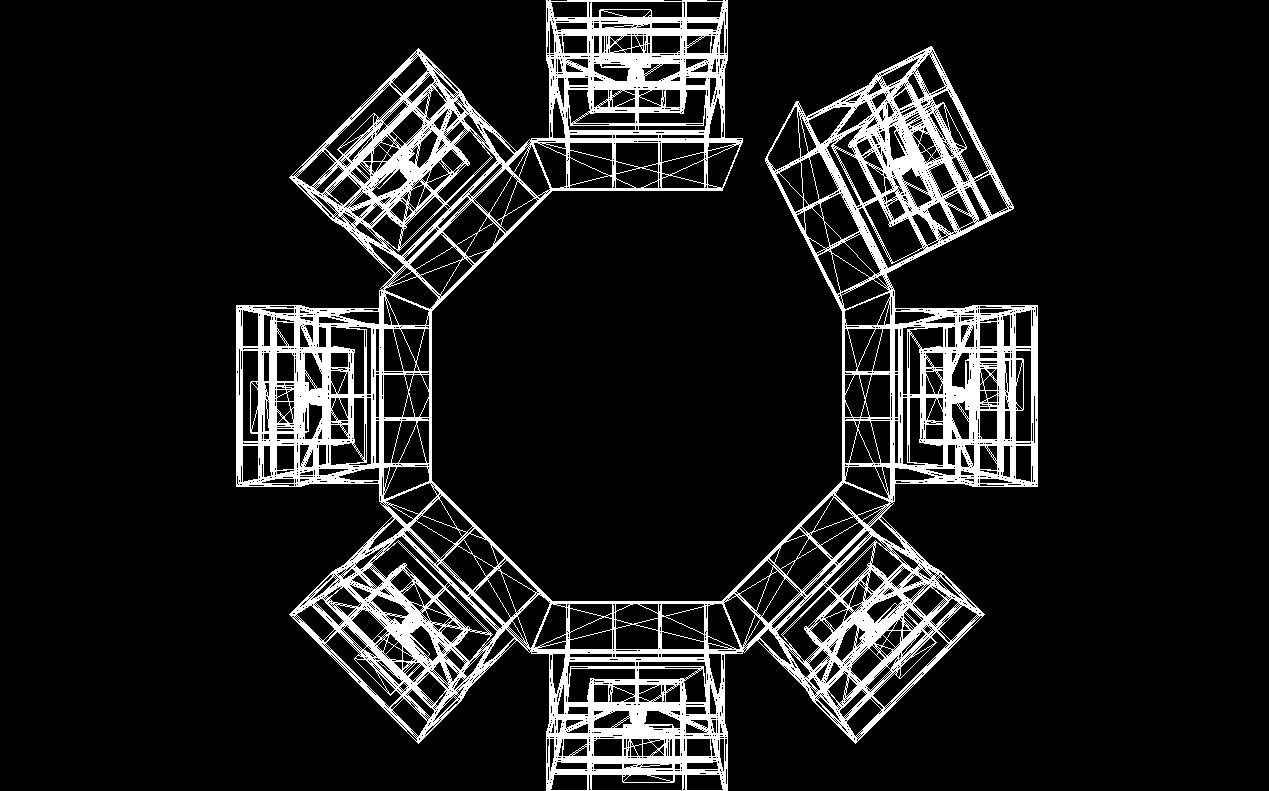
During the residency Kyle took a few hours to make a detailed model of the space in sketchup that they could use both for checking their calibration and as an asset allowing them to create the illusion that the physical space is “melting away”. The mesh was tested in OF just to make sure the Collada file was well structured. One of the segments of the final presentation uses this space mesh, making an overlap between the real and virtual. Since one can not see the structure behind the projection screens, when person was positioned in the virtual space the structure of Octave would dissolve into the wireframe model.
PlyLoader
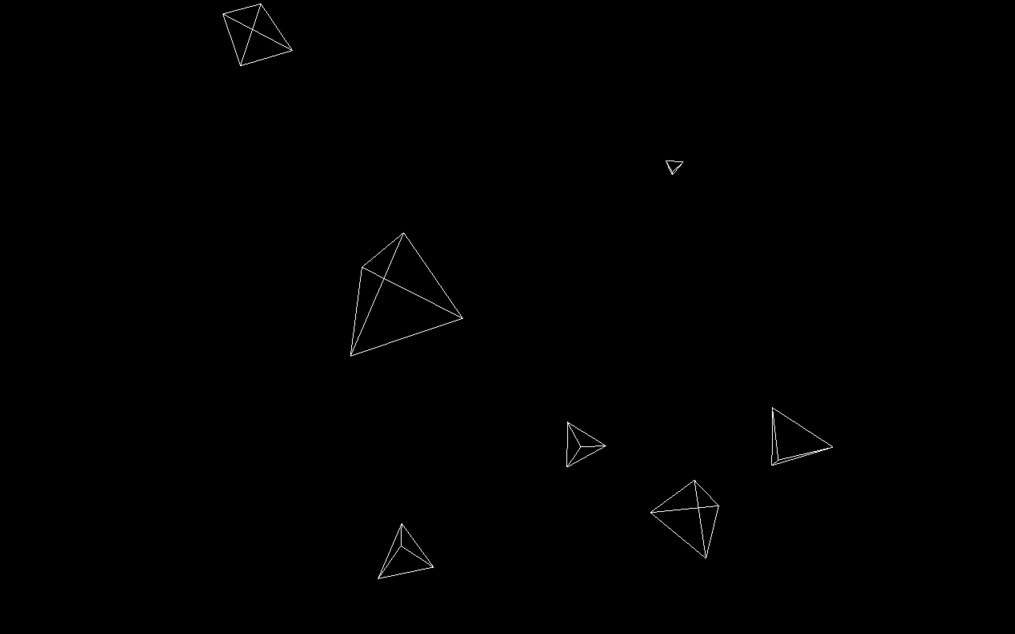
This sketch was initially meant to be used as a generic vvvv node for loading simple 3d .ply files, but it turned into an app for drawing Platonic solids as efficiently as possible.
RandomMesh
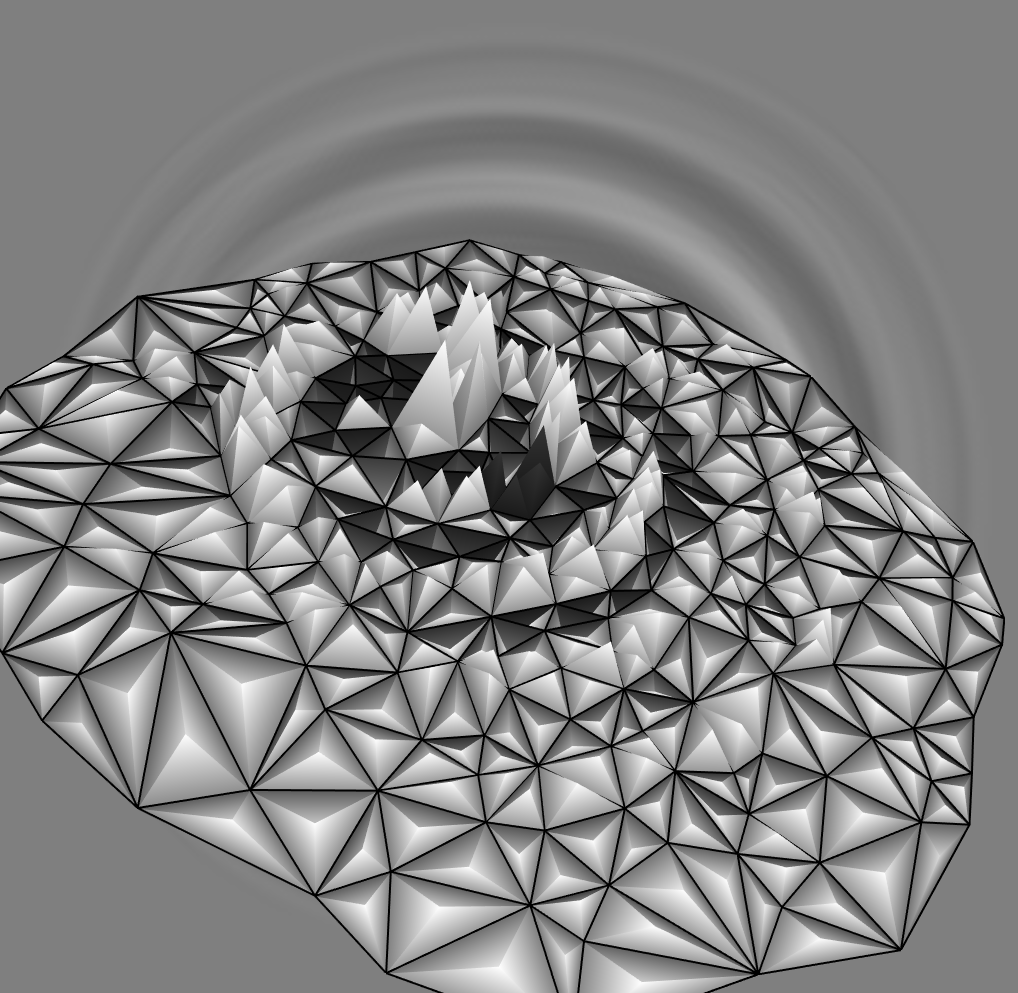
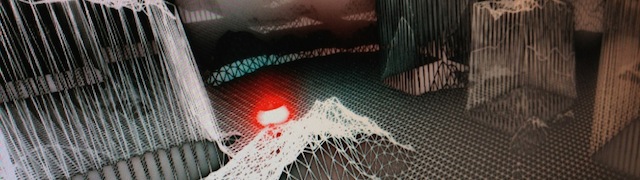
This was one of the main effects they were planning on using in multiple scenes. They built custom slippers that were motion captured using the Vicon system (with ofxVicon), and every time the slippers would pass a horizontally oriented “ground plane” it would trigger a “drop” in the floor, causing ripples to spread across the surface. They were planning on physically augmenting the floor with electrical tape in order to get clear projection-mapped lines augmented by simple shaded surfaces, but they weren’t able to test this in time.
RippleEffect
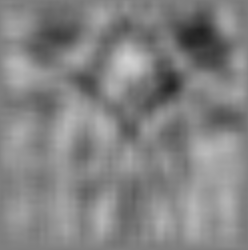
The foundation of the RandomMesh look can be found in the height map that is generated using this simple old-school ripple effect.
TunnelTransition
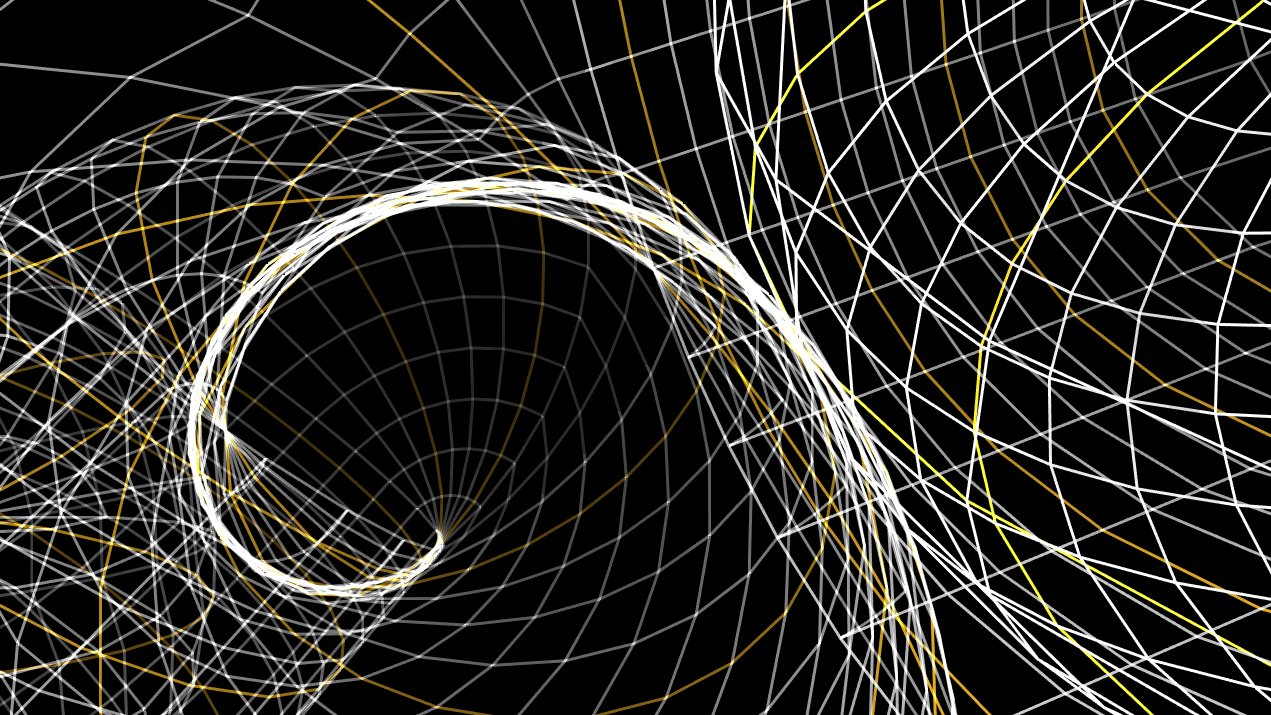
This is the evolution of InfiniteTunnel, and contains a number of interesting parameters that were tweaked by hand to develop some unique “looks” for transitions from the main space into each of the scenes. One of the more interesting pieces of this code is how the camera movement is controlled to create a sensation of flying along the general path of the tunnel without being stuck to it as rigidly as in InfiniteTunnel.
TestPattern
While calibrating the space, we needed a simple test pattern to project that would help them align the projectors. This app was meant to accomplish that, but they used vvvv instead.
RandomSteps
Before they had Vicon data for RandomMesh, they needed fake “step” data to test the scene. RandomSteps created this data.
AetherBridge
This Processing sketch is the backbone of the audio control. It glues together Ableton Live, vvvv and the wave field synthesis system using a combination of OSC, Midi and UDP, allowing all three applications to talk to each other.
Joel Gethin Lewis
Joel says he has always been most comfortable in the dark – “I’m definitely a night person. I must have spent days at home looking at the ceiling, watching reflected car headlights arcing over the ceiling of my bedroom. On the road I love to black out my room, leaving only small gaps to allow beams to arc across the rear wall. Drifting off to sleep to dream of Priss, Ripley and other worlds created by my cinematic hero, Ridley Scott”
The resulting work came in the form of two installations.
Portals
Portals allows for the mapping of horiztonal beams onto a body in real time – face, chest and crotch. The project uses a Kinect as gestural input. Rather than focusing on the digital as being the final output of this installation, the final output is created through the use of traditional photography, exploring the concepts of low lighting. The new device, created using openFrameworks acts as an interface to move and manipulate light in the space.
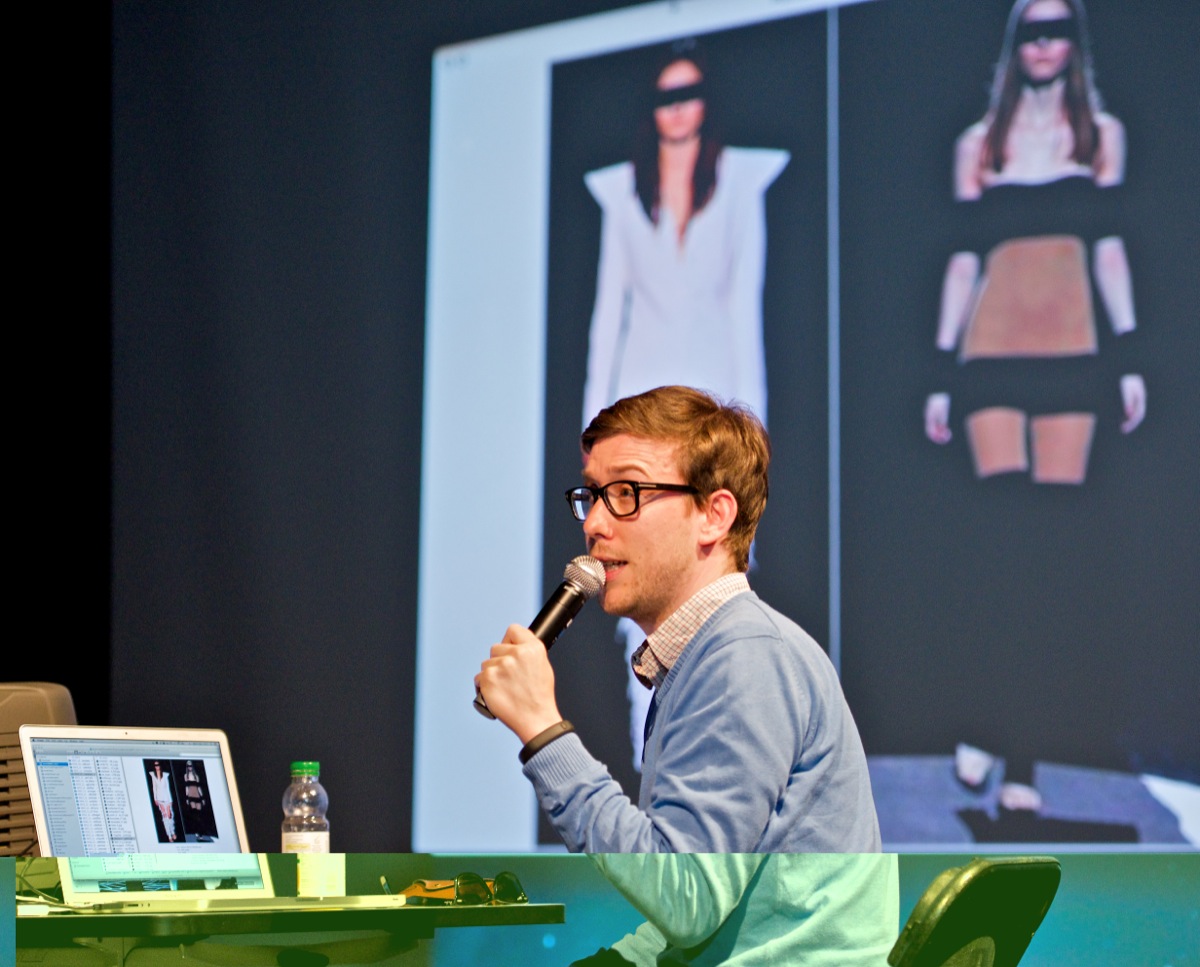
Gateway
Gateway allows for the gestural control of vertical beams of light via the Kinect. As the person stands in front of the projection, they are able to reposition the light-beam using gestural movements. Waving your hands to the left would move the vertical light beams to the left.

Joel has made commented code available for download from github (see links below) as well as describing some of the steps taken to create these two installations.
ScreenLab002

26/11/2012

ScreenLab002

UoS-WLAN
##REMOVED##

username:
AAA12778
pass:
usual

Going through a bunch of the examples...

advanced3dExample
cameraParentingExample
cameraRibbonExample
easyCamExample
meshFromCamera
modelNoiseExample
normalsExample
ofBoxExample
orientationExample
pointCloudExample
pointPickerExample
QuaternionArcballExample
QuaternionLatLongExample

first..

advanced3dExample - cameras, some lighting and the like...
cameraParentingExample - cameras, following..
cameraRibbonExample - leaving and trail and watching it...
easyCamExample - easy camera, with camera mouse interaction built in
meshFromCamera - mesh from the webcam, adding vertices
modelNoiseExample - model distortion using

    for(int i = 0; i < verts.size(); i++){
        verts[i].x += ofSignedNoise(verts[i].x/liquidness, verts[i].y/liquidness,verts[i].z/liquidness, ofGetElapsedTimef()/speedDampen)*amplitude;
        verts[i].y += ofSignedNoise(verts[i].z/liquidness, verts[i].x/liquidness,verts[i].y/liquidness, ofGetElapsedTimef()/speedDampen)*amplitude;
        verts[i].z += ofSignedNoise(verts[i].y/liquidness, verts[i].z/liquidness,verts[i].x/liquidness, ofGetElapsedTimef()/speedDampen)*amplitude;
    }
normalsExample - setting normals for things to show proper shading, seems broken
ofBoxExample - lots of boxes, using noise for position and the like
orientationExample - using quaterions to get the right position of orientation
pointCloudExample - point cloud of face from alpha values of png

    // we're going to load a ton of points into an ofMesh
    mesh.setMode(OF_PRIMITIVE_POINTS);

    // loop through the image in the x and y axes
    int skip = 4; // load a subset of the points
    for(int y = 0; y < img.getHeight(); y += skip) {
        for(int x = 0; x < img.getWidth(); x += skip) {
            ofColor cur = img.getColor(x, y);
            if(cur.a > 0) {
                // the alpha value encodes depth, let's remap it to a good depth range
                float z = ofMap(cur.a, 0, 255, -300, 300);
                cur.a = 255;
                mesh.addColor(cur);
                ofVec3f pos(x, y, z);
                mesh.addVertex(pos);
            }
        }
    }

    enum ofPrimitiveMode{
    OF_PRIMITIVE_TRIANGLES,
    OF_PRIMITIVE_TRIANGLE_STRIP,
    OF_PRIMITIVE_TRIANGLE_FAN,
    OF_PRIMITIVE_LINES,
    OF_PRIMITIVE_LINE_STRIP,
    OF_PRIMITIVE_LINE_LOOP,
    OF_PRIMITIVE_POINTS
};
pointPickerExample - picking points on a bunny, and importing a ply file
http://en.wikipedia.org/wiki/PLY_(file_format)
    int n = mesh.getNumVertices();
    float nearestDistance = 0;
    ofVec2f nearestVertex;
    int nearestIndex;
    ofVec2f mouse(mouseX, mouseY);
    for(int i = 0; i < n; i++) {
        ofVec3f cur = cam.worldToScreen(mesh.getVertex(i));
        float distance = cur.distance(mouse);
        if(i == 0 || distance < nearestDistance) {
            nearestDistance = distance;
            nearestVertex = cur;
            nearestIndex = i;
        }
    }
QuaternionArcballExample
     * Quaternion Example for rotating a sphere as an arcball
    * Dragging the mouse up down left right to apply an intuitive rotation to an object.
QuaternionLatLongExample
    City newyork = { "new york", 40+47/60., -73 + 58/60. };
    typedef struct {
        string name;
        float latitude;
        float longitude;
    } City;
        for(int i = 0; i < cities.size(); i++){

        //three rotations
        //two to represent the latitude and lontitude of the city
        //a third so that it spins along with the spinning sphere
        ofQuaternion latRot, longRot, spinQuat;
        latRot.makeRotate(cities[i].latitude, 1, 0, 0);
        longRot.makeRotate(cities[i].longitude, 0, 1, 0);
        spinQuat.makeRotate(ofGetFrameNum(), 0, 1, 0);

        //our starting point is 0,0, on the surface of our sphere, this is where the meridian and equator meet
        ofVec3f center = ofVec3f(0,0,300);
        //multiplying a quat with another quat combines their rotations into one quat
        //multiplying a quat to a vector applies the quat's rotation to that vector
        //so to to generate our point on the sphere, multiply all of our quaternions together then multiple the centery by the combined rotation
        ofVec3f worldPoint = latRot * longRot * spinQuat * center;

        //draw it and label it
        ofLine(ofVec3f(0,0,0), worldPoint);

        //set the bitmap text mode billboard so the points show up correctly in 3d
        ofDrawBitmapString(cities[i].name, worldPoint );
    }

    ofPopMatrix();

OK all the events examples now....

advancedEventsExample - advanced int and float events
customEventExample - todd made a bunch of custom events for a bug bullet game
    bool testApp::shouldRemoveBullet(Bullet &b) {

    if(b.bRemove) return true;

    bool bRemove = false;

    // get the rectangle of the OF world
    ofRectangle rec = ofGetCurrentViewport();

    // check if the bullet is inside the world
    if(rec.inside(b.pos) == false) {
        bRemove = true;
    }

    return bRemove;
}
    custom removal function -     // check if we want to remove the bullet
    ofRemove(bullets, shouldRemoveBullet);
    static bool shouldRemoveBullet(Bullet &b);
eventsExample - has nice drag and drop events too
simpleTimer - has a nice progress bar

OK ALL the gl examples now

alphaMaskingShaderExample
        string shaderProgram = "#version 120\n \
    #extension GL_ARB_texture_rectangle : enable\n \
    \
    uniform sampler2DRect tex0;\
    uniform sampler2DRect maskTex;\
    \
    void main (void){\
    vec2 pos = gl_TexCoord[0].st;\
    \
    vec3 src = texture2DRect(tex0, pos).rgb;\
    float mask = texture2DRect(maskTex, pos).r;\
    \
    gl_FragColor = vec4( src , mask);\
    }";
    shader.setupShaderFromSource(GL_FRAGMENT_SHADER, shaderProgram);
    shader.linkProgram();

    // Let´s clear the FBO´s
    // otherwise it will bring some junk with it from the memory
    maskFbo.begin();
    ofClear(0,0,0,255);
    maskFbo.end();

    fbo.begin();
    ofClear(0,0,0,255);
    fbo.end();

    and then

        //--------------------------------------------------------------
    void testApp::update(){

        // MASK (frame buffer object)
        //
        maskFbo.begin();
        if (bBrushDown){
            brushImg.draw(mouseX-25,mouseY-25,50,50);
        }
        maskFbo.end();

        // HERE the shader-masking happends
        //
        fbo.begin();
        // Cleaning everthing with alpha mask on 0 in order to make it transparent for default
        ofClear(0, 0, 0, 0);

        shader.begin();
        shader.setUniformTexture("maskTex", maskFbo.getTextureReference(), 1 );

        srcImg.draw(0,0);

        shader.end();
        fbo.end();

    }

    //--------------------------------------------------------------
    void testApp::draw(){
        ofSetColor(255,255);

        dstImg.draw(0,0);

        fbo.draw(0,0);

        ofDrawBitmapString("Drag the Mouse to draw", 15,15);
        ofDrawBitmapString("Press spacebar to clear", 15, 30);
    }
billboardExample
    lots of bubbles on screens using:
            float billboardSizeTarget[NUM_BILLBOARDS];

        ofShader billboardShader;
        ofImage texture;

        ofVboMesh billboards;
        ofVec3f billboardVels[NUM_BILLBOARDS];

    using a shader and vbo too

        //--------------------------------------------------------------

    void testApp::update() {

        float t = (ofGetElapsedTimef()) * 0.9f;
        float div = 250.0;

        for (int i=0; i<NUM_BILLBOARDS; i++) {

            // noise
            ofVec3f vec(ofSignedNoise(t, billboards.getVertex(i).y/div, billboards.getVertex(i).z/div),
                                    ofSignedNoise(billboards.getVertex(i).x/div, t, billboards.getVertex(i).z/div),
                                    ofSignedNoise(billboards.getVertex(i).x/div, billboards.getVertex(i).y/div, t));

            vec *= 10 * ofGetLastFrameTime();
            billboardVels[i] += vec;
            billboards.getVertices()[i] += billboardVels[i];
            billboardVels[i] *= 0.94f;
            billboards.setNormal(i,ofVec3f(12 + billboardSizeTarget[i] * ofNoise(t+i),0,0));
        }

        // move the camera around
        float mx = (float)mouseX/(float)ofGetWidth();
        float my = (float)mouseY/(float)ofGetHeight();
        ofVec3f des(mx * 360.0, my * 360.0, 0);
        cameraRotation += (des-cameraRotation) * 0.03;
        zoom += (zoomTarget - zoom) * 0.03;

    }

    //--------------------------------------------------------------
    void testApp::draw() {
        ofBackgroundGradient(ofColor(255), ofColor(230, 240, 255));

        string info = ofToString(ofGetFrameRate(), 2)+"\n";
        info += "Particle Count: "+ofToString(NUM_BILLBOARDS);
        ofDrawBitmapStringHighlight(info, 30, 30);

        ofSetColor(255);

        ofPushMatrix();
        ofTranslate(ofGetWidth()/2, ofGetHeight()/2, zoom);
        ofRotate(cameraRotation.x, 1, 0, 0);
        ofRotate(cameraRotation.y, 0, 1, 0);
        ofRotate(cameraRotation.y, 0, 0, 1);

        // bind the shader so that we can change the
        // size of the points via the vert shader
        billboardShader.begin();

        ofEnablePointSprites();
        texture.getTextureReference().bind();
        billboards.draw();
        texture.getTextureReference().unbind();
        ofDisablePointSprites();

        billboardShader.end();

        ofPopMatrix();
    }
billboardRotationExample
    similar, this time with rotation for snow flakes
fboTrailsExample
    does drawing into FBO's, floating and integer versions
        //allocate our fbos.
    //providing the dimensions and the format for the,
    rgbaFbo.allocate(400, 400, GL_RGBA); // with alpha, 8 bits red, 8 bits green, 8 bits blue, 8 bits alpha, from 0 to 255 in 256 steps
    rgbaFboFloat.allocate(400, 400, GL_RGBA32F_ARB); // with alpha, 32 bits red, 32 bits green, 32 bits blue, 32 bits alpha, from 0 to 1 in 'infinite' steps

    // we can also define the fbo with ofFbo::Settings.
    // this allows us so set more advanced options the width (400), the height (200) and the internal format like this
    /*
     ofFbo::Settings s;
     s.width            = 400;
     s.height           = 200;
     s.internalformat   = GL_RGBA;
     s.useDepth         = true;
     // and assigning this values to the fbo like this:
     rgbFbo.allocate(s);
     */
geometryShaderExample
    http://en.wikipedia.org/wiki/Shader#Geometry_shaders
    Geometry shaders
    Geometry shaders are a relatively new type of shader, introduced in Direct3D 10 and OpenGL 3.2; formerly available in OpenGL 2.0+ with the use of extensions.[2] This type of shader can generate new graphics primitives, such as points, lines, and triangles, from those primitives that were sent to the beginning of the graphics pipeline.[3]
    Geometry shader programs are executed after vertex shaders. They take as input a whole primitive, possibly with adjacency information. For example, when operating on triangles, the three vertices are the geometry shader's input. The shader can then emit zero or more primitives, which are rasterized and their fragments ultimately passed to a pixel shader.
    Typical uses of a geometry shader include point sprite generation, geometry tessellation, shadow volume extrusion, and single pass rendering to a cube map. A typical real world example of the benefits of geometry shaders would be automatic mesh complexity modification. A series of line strips representing control points for a curve are passed to the geometry shader and depending on the complexity required the shader can automatically generate extra lines each of which provides a better approximation of a curve.
glInfoExample
    give gl info...
GPUparticleSystemExample
     *  summary:Example of how to use GPU for data processing. The data it´s going to be stored
     *          on the color channels of the FBO´s textures. In this case we are going to use just
     *          RED and GREEN channels on two textures. One for the position and the other one for
     *          the velocity. For updating the informacion of those textures we are going to use
     *          two FBO´s for each type of information. This pair of FBO will pass the information
     *          from one to other in a techninc call PingPong.
     *          After updating this information, we are going to use the textures allocated on GPU memory
     *          for moving some vertex and then multiplied them in order to make little frames that hold
     *          a texture of a spark of light.
multiLightExample
    SETUP

    // Point lights emit light in all directions //
    // set the diffuse color, color reflected from the light source //
    pointLight.setDiffuseColor( ofColor(0.f, 255.f, 0.f));

    // specular color, the highlight/shininess color //
    pointLight.setSpecularColor( ofColor(255.f, 255.f, 0.f));
    pointLight.setPointLight();

    spotLight.setDiffuseColor( ofColor(255.f, 0.f, 0.f));
    spotLight.setSpecularColor( ofColor(255.f, 255.f, 255.f));

    // turn the light into spotLight, emit a cone of light //
    spotLight.setSpotlight();

    // size of the cone of emitted light, angle between light axis and side of cone //
    // angle range between 0 - 90 in degrees //
    spotLight.setSpotlightCutOff( 50 );

    // rate of falloff, illumitation decreases as the angle from the cone axis increases //
    // range 0 - 128, zero is even illumination, 128 is max falloff //
    spotLight.setSpotConcentration( 45 );

    // Directional Lights emit light based on their orientation, regardless of their position //
    directionalLight.setDiffuseColor(ofColor(0.f, 0.f, 255.f));
    directionalLight.setSpecularColor(ofColor(255.f, 255.f, 255.f));
    directionalLight.setDirectional();

    think I am going to need spotlights, I believe

    DRAW

        // enable lighting //
    ofEnableLighting();
    // enable the material, so that it applies to all 3D objects before material.end() call //
    material.begin();
    // activate the lights //
    if (bPointLight) pointLight.enable();
    if (bSpotLight) spotLight.enable();
    if (bDirLight) directionalLight.enable();

    // grab the texture reference and bind it //
    // this will apply the texture to all drawing (vertex) calls before unbind() //
    if(bUseTexture) ofLogoImage.getTextureReference().bind();

    ofSetColor(255, 255, 255, 255);
    ofPushMatrix();
    ofTranslate(center.x, center.y, center.z-300);
    ofRotate(ofGetElapsedTimef() * .8 * RAD_TO_DEG, 0, 1, 0);
    ofSphere( 0,0,0, radius);
    ofPopMatrix();

    ofPushMatrix();
    ofTranslate(300, 300, cos(ofGetElapsedTimef()*1.4) * 300.f);
    ofRotate(ofGetElapsedTimef()*.6 * RAD_TO_DEG, 1, 0, 0);
    ofRotate(ofGetElapsedTimef()*.8 * RAD_TO_DEG, 0, 1, 0);
    ofBox(0, 0, 0, 60);
    ofPopMatrix();

    ofPushMatrix();
    ofTranslate(center.x, center.y, -900);
    ofRotate(ofGetElapsedTimef() * .2 * RAD_TO_DEG, 0, 1, 0);
    ofBox( 0, 0, 0, 850);
    ofPopMatrix();

    if(bUseTexture) ofLogoImage.getTextureReference().unbind();

    if (!bPointLight) pointLight.disable();
    if (!bSpotLight) spotLight.disable();
    if (!bDirLight) directionalLight.disable();

    material.end();
    // turn off lighting //
    ofDisableLighting();
multiTextureShaderExample
    using a shader to blend several textures
        string shaderProgram = STRINGIFY(
                                     uniform sampler2DRect tex0;
                                     uniform sampler2DRect tex1;
                                     uniform sampler2DRect tex2;
                                     uniform sampler2DRect maskTex;

                                     void main (void){
                                         vec2 pos = gl_TexCoord[0].st;

                                         vec4 rTxt = texture2DRect(tex0, pos);
                                         vec4 gTxt = texture2DRect(tex1, pos);
                                         vec4 bTxt = texture2DRect(tex2, pos);
                                         vec4 mask = texture2DRect(maskTex, pos);

                                         vec4 color = vec4(0,0,0,0);
                                         color = mix(color, rTxt, mask.r );
                                         color = mix(color, gTxt, mask.g );
                                         color = mix(color, bTxt, mask.b );

                                         gl_FragColor = color;
                                     }
                                     );

    shader.setupShaderFromSource(GL_FRAGMENT_SHADER, shaderProgram);
    shader.linkProgram();
pointsAsTextures
    using shader and blending of points to make pretty blobs of colour
shaderExample
    uses a shader to distort some text

    SETUP

    shader.load("shaders/noise.vert", "shaders/noise.frag");

    DRAW

        if( doShader ){
        shader.begin();
            //we want to pass in some varrying values to animate our type / color
            shader.setUniform1f("timeValX", ofGetElapsedTimef() * 0.1 );
            shader.setUniform1f("timeValY", -ofGetElapsedTimef() * 0.18 );

            //we also pass in the mouse position
            //we have to transform the coords to what the shader is expecting which is 0,0 in the center and y axis flipped.
            shader.setUniform2f("mouse", mouseX - ofGetWidth()/2, ofGetHeight()/2-mouseY );

    }

        //finally draw our text
        font.drawStringAsShapes("openFrameworks", 90, 260);

    if( doShader ){
        shader.end();
    }
singleLightExample
    multiple spheres, with a point light (emits in all directions)
slowFastRendering
    three different ways of rendering:
        // draw the points the slow way
    if(mode == 1) {
        ofSetColor(255);
        glBegin(GL_POINTS);
        for (int i=0; i<points.size(); i++) {
            glVertex2f(points[i].x, points[i].y);
        }
        glEnd();
    }

    // a bit faster
    else if(mode == 2) {
        ofSetColor(255);

        glEnableClientState(GL_VERTEX_ARRAY);
        glVertexPointer(2, GL_FLOAT, 0, &points[0].x);
        glDrawArrays(GL_POINTS, 0, (int)points.size());
        glDisableClientState(GL_VERTEX_ARRAY);
    }

    // super fast (vbo)
    else if(mode == 3) {
        ofSetColor(255);
        vbo.setVertexData(&points[0], (int)points.size(), GL_DYNAMIC_DRAW);
        vbo.draw(GL_POINTS, 0, (int)points.size());
    }
textureExample
    textures and blending different types of textures
textureScreengrabExample
    grabbing screen into texture
    //--------------------------------------------------------------
    void testApp::draw(){

        // 1st, draw on screen:
        ofSetHexColor(0x66CC33);
        ofRect(100,100,300,300);

        ofSetHexColor(0xffffff);
        glPushMatrix();
            glTranslatef(200,200,0);
            glRotatef(counter,0,0,1);
            ofCircle(0,0,80);
            ofCircle(100,0,10); // a small one
        glPopMatrix();
        ofSetHexColor(0x333333);
        ofDrawBitmapString("(a) on screen", 150,200);

        ofSetHexColor(0xFFCC33);
        ofCircle(mouseX, mouseY,20);

        // 2nd, grab a portion of the screen into a texture
        // this is quicker then grabbing into an ofImage
        // because the transfer is done in the graphics card
        // as opposed to bringing pixels back to memory
        // note: you need to allocate the texture to the right size
        texScreen.loadScreenData(100,100,300,300);

        // finally, draw that texture on screen, how ever you want
        // (note: you can even draw the texture before you call loadScreenData,
        // in order to make some trails or feedback type effects)
        glPushMatrix();
            ofSetHexColor(0xffffff);
            glTranslatef(550,300,0);
            //glRotatef(counter, 0.1f, 0.03f, 0);
            float width = 200 + 100 * sin(counter/200.0f);
            float height = 200 + 100 * sin(counter/200.0f);;
            texScreen.draw(-width/2,-height/2,width,height);
        glPopMatrix();

        glPushMatrix();
            ofSetHexColor(0xffffff);
            glTranslatef(700,210,0);
            glRotatef(counter, 0.1f, 0.03f, 0);
            texScreen.draw(-50,-50,100,100);
        glPopMatrix();

        ofSetHexColor(0x333333);
        ofDrawBitmapString("(b) in a texture, very meta!", 500,200);
    }
vboExample
    /*
     This code demonstrates the difference between using an ofMesh and an ofVboMesh.
     The ofMesh is uploaded to the GPU once per frame, while the ofVboMesh is
     uploaded once. This makes it much faster to draw multiple copies of an
     ofVboMesh than multiple copies of an ofMesh.
     */
viewportExample
    // Viewports are useful for when you want
    //  to display different items of content
    //  within their own 'window'.
    //
    // Viewports are similar to 'ofTranslate(x,y)'
    //  in that they move your drawing to happen
    //  in a different location. But they also
    //  constrain the drawing so that it is masked
    //  to the rectangle of the viewport.
    //
    //
    // When working with viewports you should
    //  also be careful about your transform matrices.
    // ofSetupScreen() is your friend.
    // Also camera.begin() will setup relevant transform
    //  matrices.

OK ALL THE MATH EXAMPLES NOW

noise1dExample
    lovely pretty, 1D noise example - use for triggering pulses of light - from Golan
noise1dOctaveExample
    more lovely pretty, this time with octaves
noiseField2dExample
    /*
     This example demonstrates how to use a two dimensional slice of a three
     dimensional noise field to guide particles that are flying around. It was
     originally based on the idea of simulating "pollen" being blown around by
     the wind, and implemented in the Processing:
     http://www.openprocessing.org/visuals/?visualID=2785
     */

    #include "testApp.h"

    /*
     All these settings control the behavior of the app. In general it's a better
     idea to keep variables in the .h file, but this makes it easy to set them at
     the same time you declare them.
     */
    int nPoints = 4096; // points to draw
    float complexity = 6; // wind complexity
    float pollenMass = .8; // pollen mass
    float timeSpeed = .02; // wind variation speed
    float phase = TWO_PI; // separate u-noise from v-noise
    float windSpeed = 40; // wind vector magnitude for debug
    int step = 10; // spatial sampling rate for debug
    bool debugMode = false;

    /*
     This is the magic method that samples a 2d slice of the 3d noise field. When
     you call this method with a position, it returns a direction (a 2d vector). The
     trick behind this method is that the u,v values for the field are taken from
     out-of-phase slices in the first dimension: t + phase for the u, and t - phase
     for the v.
     */
particlesExample
    four kinds of particles
    enum particleMode{
        PARTICLE_MODE_ATTRACT = 0,
        PARTICLE_MODE_REPEL,
        PARTICLE_MODE_NEAREST_POINTS,
        PARTICLE_MODE_NOISE
    };
    snow, repel, attract, attract to four points
periodicSignalsExample
    ofDrawBitmapString("constant",ofGetWidth()-160,60*2-4);
    ofDrawBitmapString("ofNoise(t)",ofGetWidth()-160,60*3-4);
    ofDrawBitmapString("ofSignedNoise(t)",ofGetWidth()-160,60*4-4);
    ofDrawBitmapString("ofRandom(-1,1)",ofGetWidth()-160,60*5-4);
    ofDrawBitmapString("sin(TWO_PI*t)",ofGetWidth()-160,60*6-4);
    ofDrawBitmapString("(sin(TWO_PI*t)+1)/2",ofGetWidth()-160,60*7-4);
    ofDrawBitmapString("modulo(t,1)",ofGetWidth()-160,60*8-4);
    ofDrawBitmapString("modulo(t,1)*2-1",ofGetWidth()-160,60*9-4);

    mmmmm lovely different signals....
trigonometricMotionExample
    using oscillators to make motion...
trigonometryExample
    trig example, not so pretty, but good deg/rad comparison
vectorMathExample
    rotating in 3D and the like....

FIRST IDEA TO TRY BEAMS OF LIGHT ON THE INSIDE OF A CUBE WITH A HOLE IN IT, beams of light are triggered on voice, or on 1D noise for triggering?

need to be able to do logical operations with a cube? to make a lit?

https://github.com/elliotwoods/ofxRay might be interesting

Elliot recommends use of https://github.com/elliotwoods/ofxGrabCam for camera, I agree

27/11/2012

so lets think about geometry operations...

https://github.com/roxlu/ofxGeometry
from roxlu

https://github.com/paulobala/ofxCarveCSG


Joshua Noble did a bunch of stuff with:
404'd now: https://github.com/joshuajnoble/ofxVCGLib
"I ran into a ton of similar problems with VCG, also around the operations as well. IIRC all the boolean operations were really weird and were so heavily templated that they wouldn't compile under GCC. I haven't looked at it in a while but I could revisit it and dig up my old repo if I can find it in the depths of my hard-drive. Just glancing at the repo it seems like they've been updating it again too, which was a big concern of mine b/c when I was working with it the last commit was 2007-ish or something like that."

VCG is part of http://meshlab.sourceforge.net/
kyle started working on it in the first place! : http://forum.openframeworks.cc/index.php/topic,5954.0.html

"on: April 14, 2011, 08:09:36 AM »
Quote
vcglib is the brains behind meshlab

http://vcg.sourceforge.net/index.php/Main_Page
http://meshlab.sourceforge.net/

i'm interested in doing some meshlab-style processing (mainly simplification, point cloud alignment, and maybe mesh zippering). has anyone worked with vcglib and OF?

the closest thing i've seen to this is some work with cgal discussed elsewhere on the forum:

http://forum.openframeworks.cc/index.php/topic,547.0.html"

Downloading MeshLab....
Downloading https://github.com/paulobala/ofxCarveCSG
Downloading https://github.com/roxlu/ofxGeometry

Carve CSG:
http://carve-csg.com/
Source here:
http://code.google.com/p/carve/

ofxCarveCSG seems good...

found and downloaded the source for Carve CSG

got ofxCarveCSG here:

/Users/joel/Documents/Projects/jgl/screenlab002_2012/oF/of_v0073_osx_release/apps/ofxCarveCSG/ofxCarveCSGDemoFromSource

now for roxlu...

all uses

http://gts.sourceforge.net/samples.html

http://gts.sourceforge.net/index.html

"GTS stands for the GNU Triangulated Surface Library. It is an Open Source Free Software Library intended to provide a set of useful functions to deal with 3D surfaces meshed with interconnected triangles. The source code is available free of charge under the Free Software LGPL license.

The code is written entirely in C with an object-oriented approach based mostly on the design of GTK+. Careful attention is paid to performance related issues as the initial goal of GTS is to provide a simple and efficient library to scientists dealing with 3D computational surface meshes."

that works, got the bunny....

sticking everything up on the walls and labelling...

TOOK EVERYBODY through it

Philip-Lorca DiCorcia photograph reference

got

1.2L
85MM

canon
Canon EF 85mm f/1.2L II USM

got down to planning in analogue sense, and digital

slits and lights behind

going upstairs to the project room to try some things out....

Added Priss reference too...

DID SOME PHOTO SHOOTS.......

test...

my eyes hurt, but it looks good

Richard Meftah and Jason Wright are the boys helping me out....


1400 on Friday is the meet up

Elliot Woods showed me his shadow example...

I think I should write a 1D noise triggered vertical lines accross the screen demo, so I can control it in oF, with pausing and the like

http://www.tumblr.com/blog/screenlabseries

is where I am posting everything...

ofxMPMFluid

got that working...

28/11/2012

get some shadows going!

basic first with oF lights

and

https://github.com/elliotwoods/openFrameworks/tree/feature-shadowExample/examples/gl/shadowMapExample

and ask for more advice from the boys...

also scotch tape hack for kinect for IR camera...

video refernce from Jason? http://www.youtube.com/watch?v=XK8KXcyG5E4l

Back in the room, after VAT fun. (-;

trying lampl1ght as a password, not working

So, three things to do this afternoon.

1. Try ofLight with a slit in space.
2. Try moving the ofLights past the slit in space according to 1D noise?
3. Try elliots shadow map example
4. Body track with kinect for portals on eyes breasts and crotch...

so lets start with

1. Try ofLight with a slit in space.

so first getting ofx grab cam so I can look about...

that is here:

/Users/joel/Documents/Projects/jgl/screenlab002_2012/oF/of_v0073_osx_release/apps/ofxGrabCam

set right click to be two finger click

one finger to pan, two fingers to zoom

that is just with basic example:

ofxGrabCam-example

now lets try: "ofxGrabCam-viewportTest"

awesome, can make viewports, allowing multiple views onto the same scene with their own interaction and everything....

lets start!±!!!!!! ofLight time.....

trying to name it

Beam
Portal

Gateway....

"an opening that can be closed by a gate: we turned into a gateway leading to a small cottage.
• a frame or arch built around or over a gate: a big house with a wrought-iron gateway.
• a means of access or entry to a place: Mombasa, the gateway to East Africa.
• a means of achieving a state or condition: curiosity is the gateway to learning.
• Computing a device used to connect two different networks, esp. a connection to the Internet."

kit likes it too...

go the example ofxGrabCam-viewport test

changed the colours to white cubes in black space...

dark ones...

http://richardmeftah-photography.tumblr.com/

lots of blog images up there...

need to make a floor and a rear wall...

/Users/joel/Documents/Projects/jgl/screenlab002_2012/oF/of_v0073_osx_release/examples/3d/normalsExample/src

has a mesh example...

also looking at:

/Users/joel/Documents/Projects/jgl/screenlab002_2012/oF/of_v0073_osx_release/examples/gl/multiLightExample

for different kinds of lights...

think:

https://github.com/elliotwoods/ofxRay
https://github.com/NickHardeman/ofxBullet
https://github.com/elliotwoods/openFrameworks/blob/feature-shadowExample/examples/gl/shadowMapExample/src/testApp.cpp

Will be useful..

trying to get lighting to be visible, bugger animation of the lights for now...

problems getting anything to display...

fiddling around with lights got some things working, now looking at bulllet examples so I don't waste my time...

https://github.com/NickHardeman/ofxBullet

CustomShapesExample
EmptyExample
EventsExample
JointsExample
SimpleExample

CustomShapesExample is awesome!!!!!!! lovely for LIGHTING AND CUSTOM SHAPES... ----usussususueusus

eventsexample works fine
joints is a bit buggy
simple example is also good.... very good... this is the way for sure....

OK, now to get the shadowMapExample working before the others arrive...

got that working, p to unpause...

more images here:

http://undergroundfreelancer.com/2012/11/28/screenlabs-uosmediacity/

he is going to send some pics over soon....

the problem with 001fromOfxGrabCam-viewportTest

was that the co-ordinates between screen and world space were getting messed up...

29/11/2012

CRIT

ambient occulusion
global illumination

words of power from kyle et al

moving the light source away

small circle, big circle square on plasma - which is like light box

its like the beams are opposite to the softbox on face...

beams are spotlight slits
face/hero image is ambient occlusion/global....

from EMAIL

"
Use kinect to control lights

And have slit in front.

Or car headlights

Beam

Sent from my iPhone

+44 7932 792 076"

l4mplight
is lamplight connection...

sitting down with elliot...

first we talked about:

http://en.wikipedia.org/wiki/Global_illumination

Arion: Another GPU based unbiased render engine

Unbiased rendering, which
http://en.wikipedia.org/wiki/Unbiased_rendering

Indigo is a render engine
and cinema 4d too!

http://upload.wikimedia.org/wikipedia/commons/a/ab/GermanCountryRoad_by_David_Gudelius.jpg

http://www.indigorenderer.com/

BUT i can't use this )-;

BUT I can do shadow mapping...

Which is rendering the scene from the point of the light and then rendering from the point of view of the cameras...

AMBIENT OCCLUSION
http://en.wikipedia.org/wiki/Ambient_occlusion

SSAO is a realtime method...

http://en.wikipedia.org/wiki/Screen_space_ambient_occlusion

VVVVV has realtime engine:

http://vvvv.org/contribution/mre-multipass-render-engine

shadow mapping, ambient occlusion, glow, all for free...

SO

use his shadow map example and edit it....

put the camera in too for ease of movement...

do it all with boxes for now...

void testApp::drawFloor(){
    float floorSize = 10.f;

    ofPushMatrix();

    //want the floor to be centred x, down and closer to the camera

    ofTranslate(ofVec3f(0,-floorSize/2.f,-floorSize/2.f));
    ofBox(floorSize);

    ofPopMatrix();
}

void testApp::drawWall(){
    float wallSize = 10.f;

    ofPushMatrix();

    //want the wall to be centred x, up and further from the camera

    ofTranslate(ofVec3f(0,wallSize/2.f,wallSize/2.f));

    ofBox(wallSize);

    ofPopMatrix();
}

nice...

keep going, slits now....

got bits working, but no light. )-;

30/11/2012

/Users/joel/Documents/Projects/jgl/screenlab002_2012/oF/of_v0073_osx_release/apps/shadowMapFromElliotWoods/002shadowMapExampleWithMyScene

ofxControlPanel breaks the shader... )-;

/Users/joel/Documents/Projects/jgl/screenlab002_2012/oF/of_v0073_osx_release/apps/shadowMapFromElliotWoods/003attemptingToAddControlPanel

got the positioning and the second head rendering with the help of elliot, helped him out on rendering accross the screen...

ok, so lets try simple slider...

/Users/joel/Documents/Projects/jgl/screenlab002_2012/oF/of_v0073_osx_release/apps/shadowMapFromElliotWoods/004usingSimpleSliderInstead

breaks it too...

)-;

one more try!

https://github.com/rezaali/ofxUI

all in:

/Users/joel/Documents/Projects/jgl/screenlab002_2012/oF/of_v0073_osx_release/apps/shadowMapFromElliotWoods/005attemptingToAddofxUI

breaks it too!

ok, try ofxControlPanel, but with explicit draw

worked...

    gui.draw(); //gui enables alpha.......!!!!!!!!!!!!!!!!!!!!!!!!!!!!!!!!!!!!!!!!!!!!!!!!!
    ofDisableAlphaBlending();

http://milkscanner.moviesandbox.net/
interesting reference...

try with other guis....

still broken for simple slider... )-;

now trying for ofxUI..

works!

gonna stick with ofxControlPanel for now as I know it....

/Users/joel/Documents/Projects/jgl/screenlab002_2012/oF/of_v0073_osx_release/apps/screenLab002_Gateway/003disabledAlphaPanelWorks

is where I am working now....

got everything set up in the performance room...

kicking sound system...

Sunjoypraba

Sunjoy Prabakaran is helping me -

Richard Meftah too....

and

http://www.albinomosquito.com/artists/richard-ramchurn/

richard is shooting...

so that is working, lets get the kinect going? noooo can make that work any time lets just get going with a load of 1d noise triggered strips of light.....

thats easy too, so lets see if the kinect works at all....

https://github.com/gameoverhack/ofxOpenNI

lets just try a light under control...

damon doing the lights....

over weekend - do 2D flocks of vertical lines, or horizontal ones, all under noise, lovely 2d noise, triggered with a hand from kinect?

just a sideways move....

1. 2D flocks of vertical or horizontal lines controlled by 1D noise and by Kinect hand swipes
2. Kinect Body Tracking of Skeleton, adding horizontal lines at eyes: Maison+Martin+Margiela.jpg - use the user mask to mask out the projected image...

got the openni demo working.....

one last thing... lets try to get something working with blocks over body...

got the silhouette reversed successfully.....

need to set up scaling, moving on screen and also skeleton tracking for blocks of white.....

3/12/2012

1. 2D flocks of vertical or horizontal lines controlled by 1D noise and by Kinect hand swipes
2. Kinect Body Tracking of Skeleton, adding horizontal lines at eyes: Maison+Martin+Margiela.jpg - use the user mask to mask out the projected image...

/Users/joel/Documents/Projects/jgl/screenlab002_2012/oF/of_v0073_osx_release/examples/math

has all the noise examples, but lets just start with vertical beams...

{
On 2 Dec 2012, at 17:43, Joel Gethin Lewis <me@joelgethinlewis.com> wrote:

Also have live audio as input.

Also have angle of arm as input

Also a game flying through tunnel where voice level controls vertical position

Sent from my iPhone

+44 7932 792 076

On 2 Dec 2012, at 14:51, Joel Gethin Lewis <me@joelgethinlewis.com> wrote:

Each one as a trigger for pulses

Sent from my iPhone

+44 7932 792 076
}

mystatement

{Joel Gethin Lewis

Project Statement

Gateway

I've always been most comfortable in the dark. I'm definitely a night person. I must have spent days at home looking at the ceiling, watching reflected car headlights arcing over the ceiling of my bedroom. On the road  I love to black out my room, leaving only small gaps to allow beams to arc across the rear wall. Drifting off to sleep to dream of Priss, Ripley and other worlds created by my cinematic hero, Ridley Scott.

For my residency at ScreenLab 0x002 I've been investigating extremely low light photography with the help of the photographer Richard Meftah. In collaboration with Sunjoy Prabakaran, I've also been investigating how one can simulate light beam effects on large scale projections, and how they can be controlled interactively, in real time.}

doing it with all iterators and the like....

breaking things!

speaking to elliot....

had to be more careful for delete...

fixed all the bits, some silly errors and the like, tired...

that is saved in:

/Users/joel/Documents/Projects/jgl/screenlab002_2012/oF/of_v0073_osx_release/apps/screenLab002_Gateway/004goingInto2D

working in:

/Users/joel/Documents/Projects/jgl/screenlab002_2012/oF/of_v0073_osx_release/apps/screenLab002_Gateway/005justVerticalOnlyOnMouseMood

going to simulate hand movement using the mouse for now

so will release vertical beams from the left when crossing 45 degree mark from left to right

and vice versa

- should both hands release on either side?

just did it with mouse for now....

adding velocity from the size of the movement...

that's fun...

ok so version with kinect now...

was thinking to work out change in angle looking vertically down between the previous elbow to hand vector and the current

but drew it out, only actually care if absolute hand position change is above a certain value.

try taking x and z values (not y) from tracked hand and go from there....

put this all in :

/Users/joel/Documents/Projects/jgl/screenlab002_2012/oF/of_v0073_osx_release/apps/screenLab002_Gateway/006verticalOnKinectHandMove

getting that started up....

that works nice, left and right hand...

just caring about x values worked great....

quickly doing a first pass at portals, which is the priss one...

almost there, just eyes first....

first try at that ready... lets see how it looks in the morning...

4/12/2012

remember to mention that I was working in the research hotel....

starting again after blasting some emails...

looking at body proportions...

http://en.wikipedia.org/wiki/Body_proportions

so lets make the body proportions work.... with the mask, can worry about mapping later...

https://github.com/camilosw/ofxVideoMapping
or
https://github.com/fishkingsin/ofxRenderManager

http://upload.wikimedia.org/wikipedia/commons/thumb/0/04/Jessica_Alba_Face_Proportions.png/220px-Jessica_Alba_Face_Proportions.png

for face proportions to work out eye...

ofVec3f interpolatedEyePosition = headProjectivePosition.getInterpolated(neckProjectivePosition, 0.2f); //does this go 20% of the way along the line from head to neck?

ofVec3f interpolatedBreastPosition = neckProjectivePosition.getInterpolated(torsoProjectivePosition, 0.5f); //does this go 50% of the way along line from neck to torso?

eyePosition = interpolatedEyePosition; //are these positions within the 640x480 kinect image? YES adjust these.... - also do this for the other project........

then do mapping...

that works....

mapping back to 0 and then multiplying up, much better way of doing it....

OK

lets role this all over to gateway too....

scaling and the like.....

don't need to scale, but using projective position is better....

much better with projective positions!

ok, both those versions are good now, lets add gui bits to allow for tuning....

/Users/joel/Documents/Projects/jgl/screenlab002_2012/oF/of_v0073_osx_release/apps/screenLab002_Gateway/007withGUI

and

/Users/joel/Documents/Projects/jgl/screenlab002_2012/oF/of_v0073_osx_release/apps/screenLab002_Portals/002withGUI

NOTE - should GATEWAY just allow you to project two beams? based on the angle from you to the screen, work out that maths?

lol, turn off the mouse gestures!

seem to have broken the spawnning of beams from the left...

because I wasn't taking abs of speed for size - so the ones coming from the left were spawning with negative width...

    randomBeam.size = ofVec3f(abs(speed*widthScale),0.f,0.f); //size on speed too? abs otherwise width is negative!

https://github.com/fishkingsin/ofxRenderManager

is based on theos earlier mapping work.....

OK.... next work on adding GUI to Portals....

got to show it in the real space, changing now....

got that all tuned up...

next is to get the mapping working for the body.....

no gui first!

got that dropped in...

now to try with the projection mapping....

looking at divide by zero...

do I even need rendermanager? it should be parallel?

bollocks, lets take elliots examples...

{[04/12/2012 19:28:52] Elliot Woods: https://github.com/elliotwoods/ofxPolyfit
[04/12/2012 19:28:57] Elliot Woods: check the video distort example
[04/12/2012 19:29:03] Elliot Woods: you could do that with an fbo basically
[04/12/2012 19:29:22] Elliot Woods: and it saves the calibration if you call .save(filename)
[04/12/2012 19:30:37] Elliot Woods: so it'd be like
[04/12/2012 19:30:44] Elliot Woods: ofxPolyPlane plane;
[04/12/2012 19:30:48] Elliot Woods: ofFbo fbo;
[04/12/2012 19:30:50] Elliot Woods: (in your .h)
[04/12/2012 19:30:56] Elliot Woods: and then in your cpp file
[04/12/2012 19:30:58] Elliot Woods: in setup
[04/12/2012 19:31:06] Elliot Woods: fbo.allocate(projector resolution);
[04/12/2012 19:31:10] Elliot Woods: plane.setSource(fbo);
[04/12/2012 19:31:16] Elliot Woods: in draw you do
[04/12/2012 19:31:17] Elliot Woods: fbo.begin();
[04/12/2012 19:31:26] Elliot Woods: draw everything you want to be warped
[04/12/2012 19:31:29] Elliot Woods: fbo.end();
[04/12/2012 19:31:46] Elliot Woods: plane.draw();
[04/12/2012 19:32:01] Joel Gethin Lewis: and how do i control the plane position etc.
[04/12/2012 19:32:13] Elliot Woods: it's got gui controls
[04/12/2012 19:32:17] Joel Gethin Lewis: great
[04/12/2012 19:32:24] Joel Gethin Lewis: I'll have a look at the example
[04/12/2012 19:32:30] Elliot Woods: plane.setCalibrateMode(true);
[04/12/2012 19:32:34] Elliot Woods: turns them on
[04/12/2012 19:32:37] Joel Gethin Lewis: fbo defaults to RGBA right?
[04/12/2012 19:32:37] Elliot Woods: and vice versa for off
[04/12/2012 19:32:41] Elliot Woods: yeah i think so
[04/12/2012 19:32:52] Joel Gethin Lewis: i can't draw textures to it can I?
[04/12/2012 19:32:58] Elliot Woods: yes
[04/12/2012 19:33:00] Joel Gethin Lewis: ok
[04/12/2012 19:33:04] Elliot Woods: anything that can go to main output can be in an fbo}

maria is the sound lady....

https://github.com/elliotwoods/ofxPolyfit

downloading...

needed to include qtkit and corevideo to get it to build..

and accelerate?

thats lovely!

such a cool example

put it all in, works lovely...

5/12/2012

all the shots are here:

/Users/joel/Documents/Projects/jgl/screenlab002_2012/2012_12_03_ImagesFromRichardMeftah
/Users/joel/Documents/Projects/jgl/screenlab002_2012/2012_12_05_MoreImagesFromMeftah

made choices here:

/Users/joel/Documents/Projects/jgl/screenlab002_2012/2012_12_05_JoelChoices

looked on big screen

should I do inverts button for both?

later..

did some quick adjustments with elliot...

projecting the depth map in calibrate...

6/12/2012

setting up on 10.7

mac is 1024x768 primary

output 1080p

recompiled....
Presentations
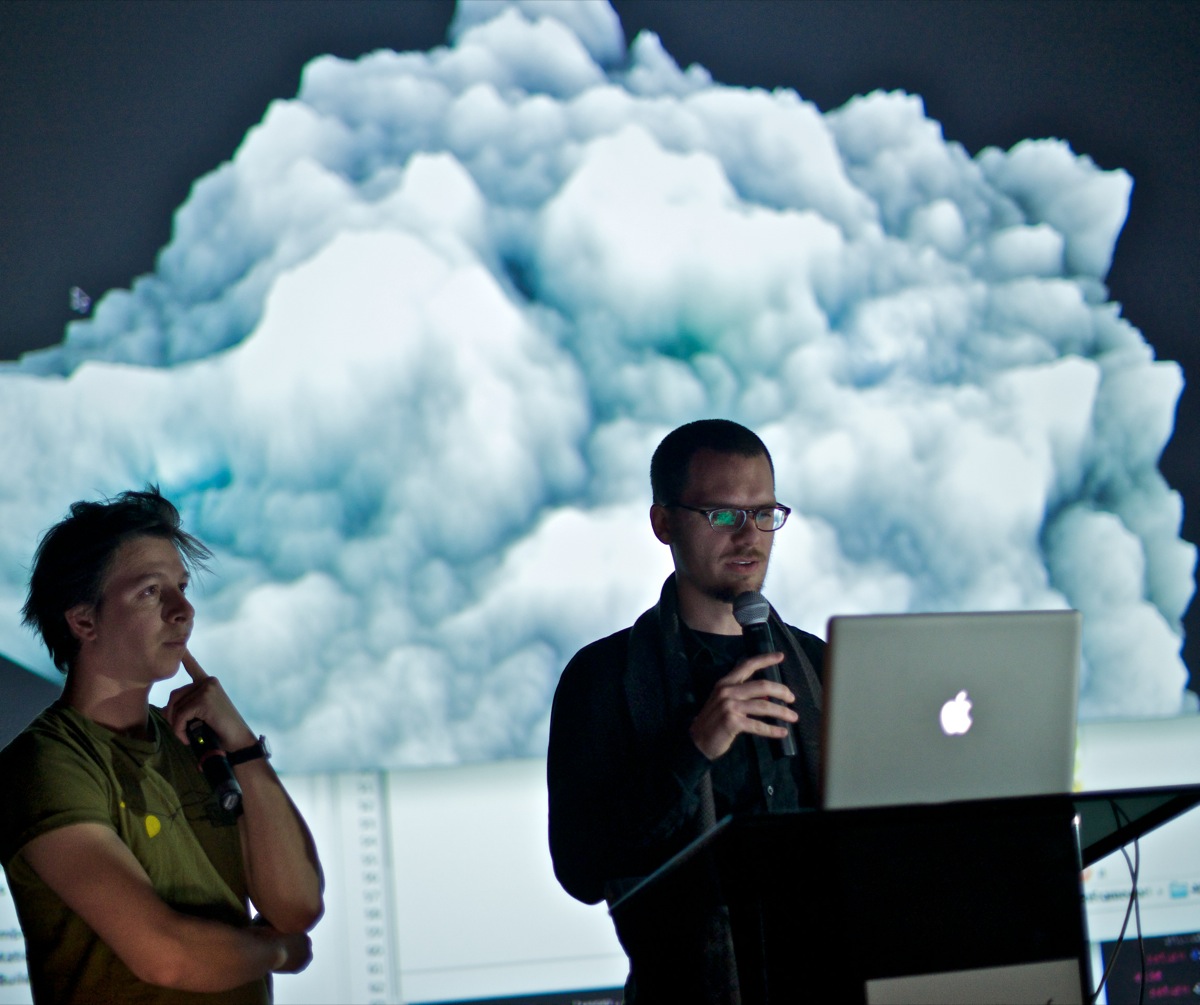
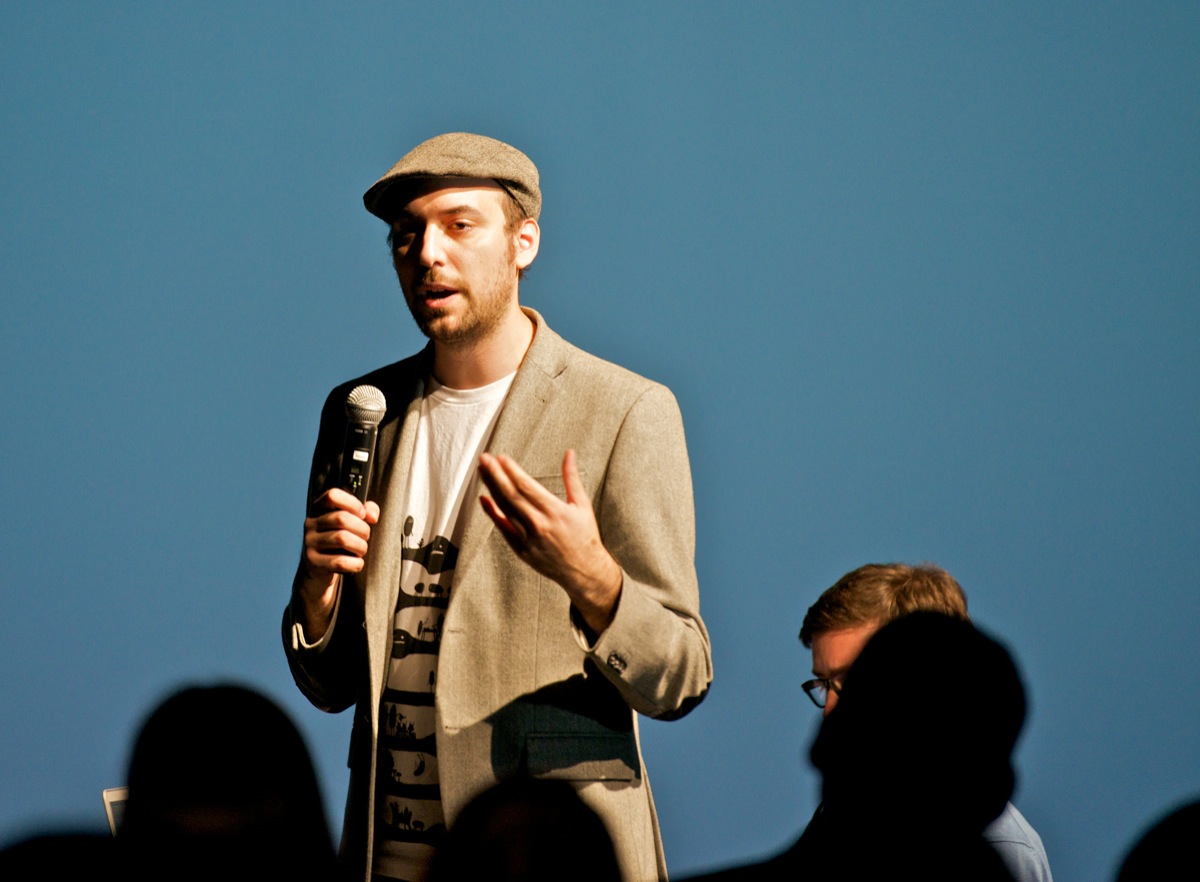
As a closing to the residency, on Wednesday 5th December, the artists and the public were invited to As Yet Impossible Series evening where they presented the work and were involved in the discussion. Guest panelists included Drew Hemment (UK) – artist, curator and researcher based in Manchester, Steve Symons (UK) – sound artist known for an innovative series of sonic augmented reality projects titled ‘aura’ and myself – Filip Visnjic. Particularly interesting points came out of discussion about the role of educational institutions in the advancement of creative technologies. Whereas most of the equipment at the University of Salford artists used in this residency were previously inaccessible by anyone other than research staff, it was great to see these facilities open up to explore both their artistic potential and alternative uses.
Artist links: Elliot Woods | Kyle McDonald | Joanie Lemercier | Joel Gethin Lewis
Find out more about ScreenLab Residency 0x02 MediaCityUK at:
http://www.salford.ac.uk/mediacityuk/research-and-innovation/research-projects/screenlab-0x02-residency-mediacityuk
Images and videos from the residency on the Tumblr log:
http://screenlabseries.tumblr.com
To find out more about the As Yet Impossible series, go to:
http://www.salford.ac.uk/MediaCityUK/features/as-yet-impossible
ScreenLab MediaCityUK 0x01 on vimeo