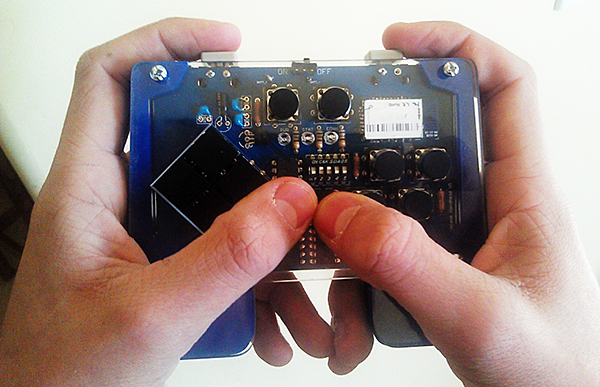
Latest from the Teague Labs comes in the form of Computerless Arduino, small, inexpensive visual interface for Arduino that doesn’t require a computer to change the code, so you can take it with you and make awesome things anywhere.
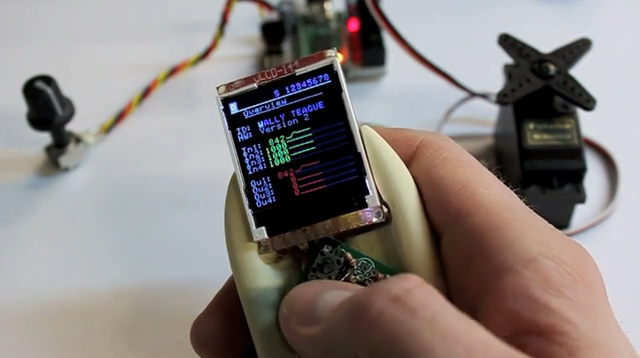
It consists of two major components; an Arduino-compatible microcontroller loaded with a realtime code interpreter, and a stand-alone 5 button LCD display to display port values and manipulate code. The display can be connected to the Arduino via a 4-pin port at any time to peek at In/Out values, view the current code, and make changes as desired.


By keeping the display separate, it’s possible to have many dedicated Arduino modules (we’re using one of the smallest, cheapest, and most-capable Arduino clones, the Teensy2.0 for $18), without needing to spend much on each additional device. For the display we’re using the super small uLCD-144 (by 4D Systems for $29), and the system could easily be modified to use a larger display or computer if desired. The programming instruction set for the Computerless Arduino is quite small, making it easy for novices to get started while still working with real code. Navigating the user interface is a bit tedious on such a tiny display, but it’s easy to learn and provides everything you need — a basic multichannel signal scope, a code page for the setup() function which runs once at startup, and 8 pages of code for the loop() function which provides the main functionality and runs over-and-over forever.
Check out the code and try it yourself at labs.teague.com
(Thanks Emilio)