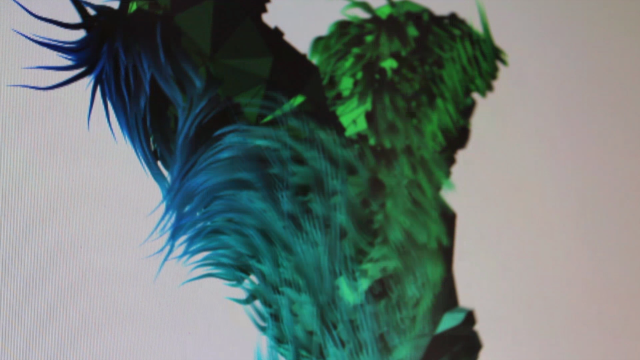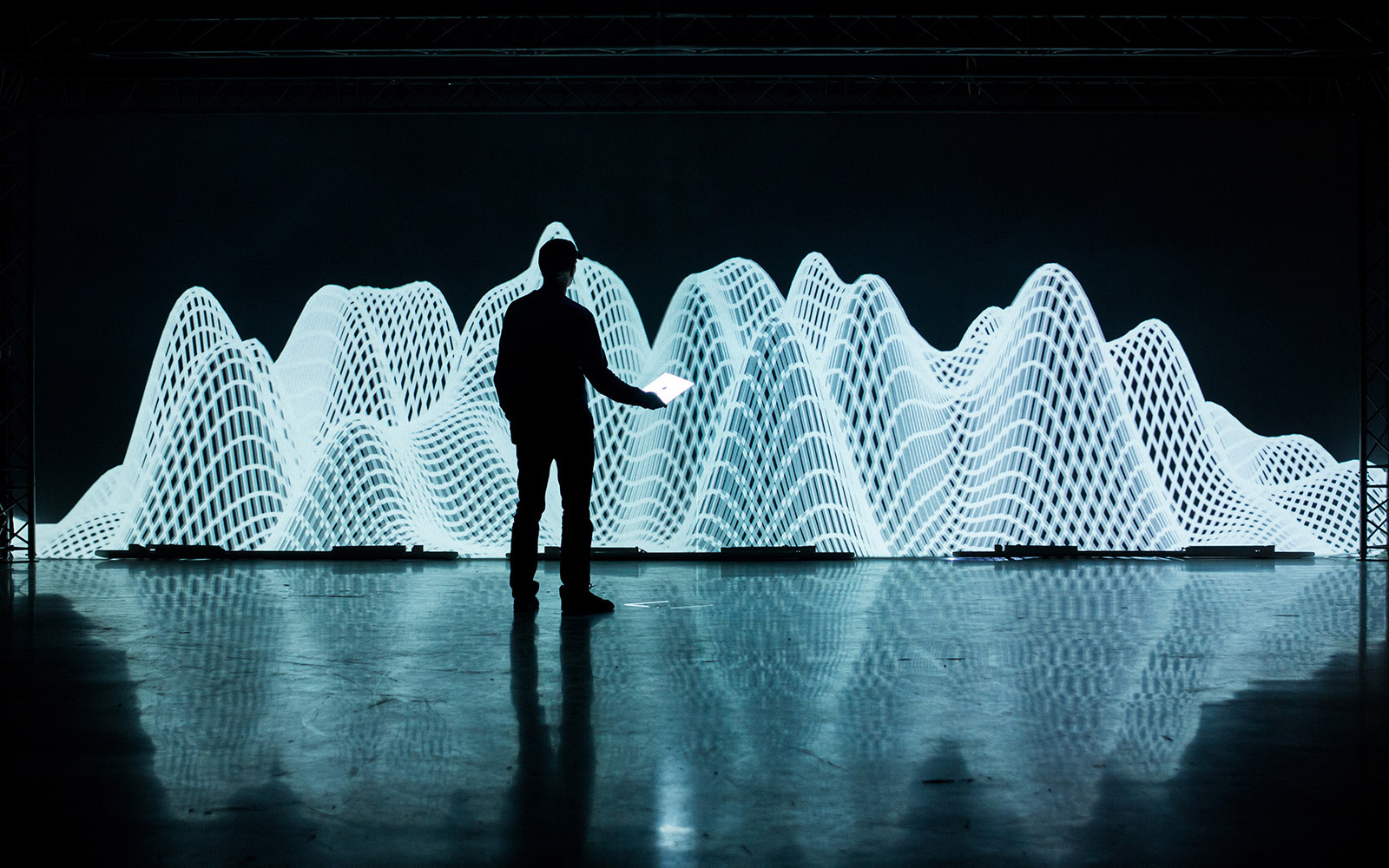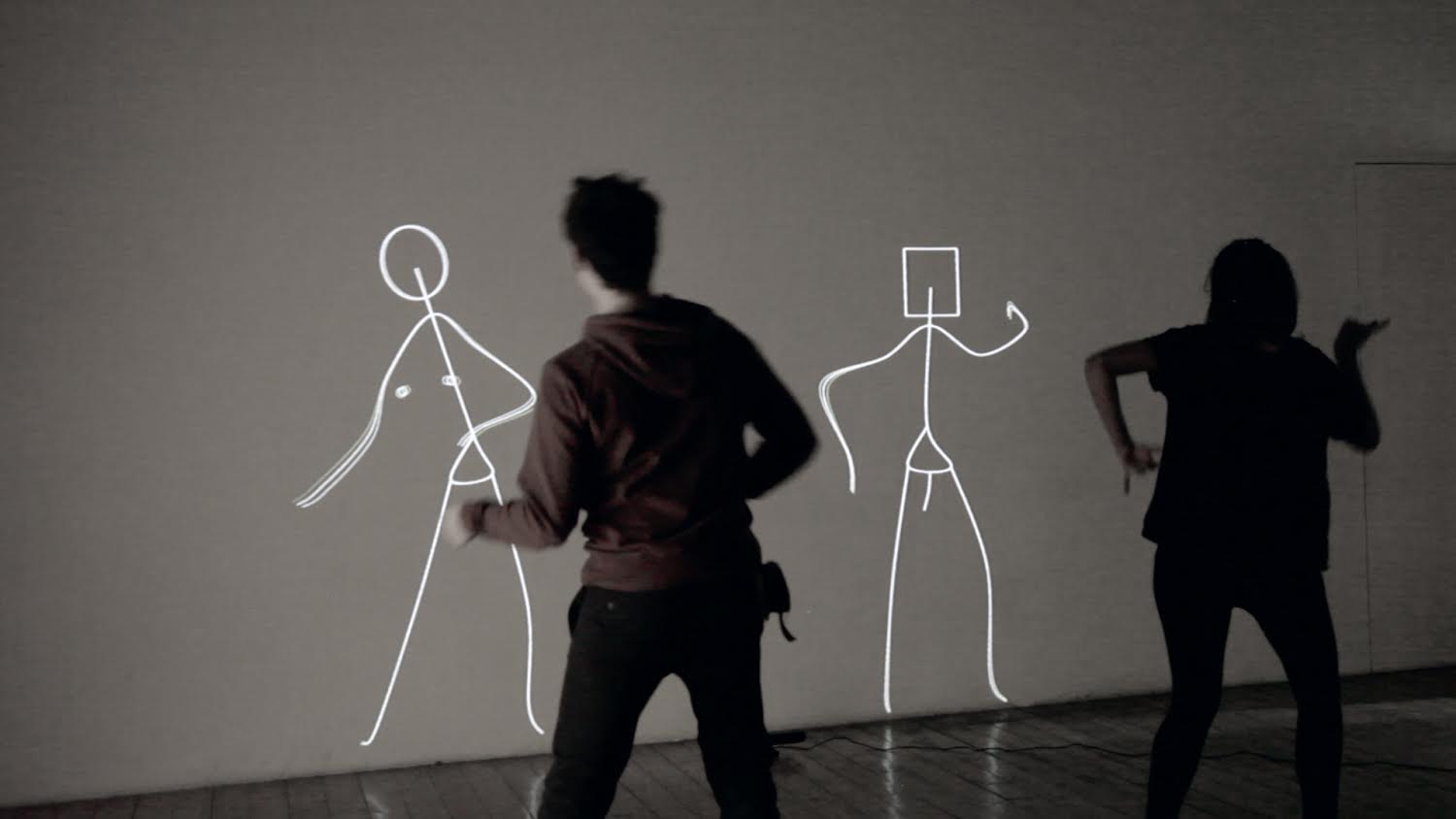
In this hands-on tutorial I will walk you through the steps needed to turn YOU into an interactive virtual polygon. How awesome is that? To realise our creative end goal we will be using Processing and several of it’s contributed libraries. Obviously I will not be covering all the aspects or possibilities of these libraries. Rather this tutorial focuses on the specific steps needed to reach our proposed creative goal: letting you interact with the geometry on your screen in realtime. I will share three fully commented code examples of increasing complexity that’ll give you a flying start. Of course from there, many more opportunities for further exploration will arise.
Get Kinected
You will need a Kinect for this tutorial. While it is definitely possible to distill blobs from the image of a regular webcam, the Kinect makes separating a person from the background really easy. There are a lot of fun things you can do with a Kinect, from point clouds to 3D skeletons to hand-tracking… but those have to wait for another time! ;-) In this tutorial we will be using the Kinect as a very effective silhouette generator.
Installing Processing & libraries
There are over 100 libraries that extend the capabilities of Processing in areas like sound, video, computer vision, data import/export, math, geometry, physics and many more things. Processing 2.0 will feature a brand new system that facilitates a one-click method to install and update libraries. However for now, installation of libraries is still done manually. In most cases this is fairly straightforward though. For detailed instruction on how to install contributed libraries, check this page. Below is the list of all the libraries we will be using in this tutorial. Click on the names to go to the respective download locations. Each code example also indicates which libraries are required to run it. The easiest way to check if a library has been succesfully installed, is to go to Sketch > Import Library and see if the library shows up on the list of contributed libraries. Make sure to restart the PDE after installing a library, because this list is only refreshed at startup. If somehow problems persist, please use the Processing forum for support. Beyond this point I will be assuming necessary libraries have been installed.
- Processing 2.0b3 or 1.5.1 (examples tested & working with both)
- SimpleOpenNI: A simple OpenNI wrapper for processing
- v3ga blob detection library
- Toxiclibs 020 (examples tested & working with 021 as well)
- PBox2D: A simple JBox2D wrapper library

Example 1: Kinect Silhouette (libs: SimpleOpenNI)
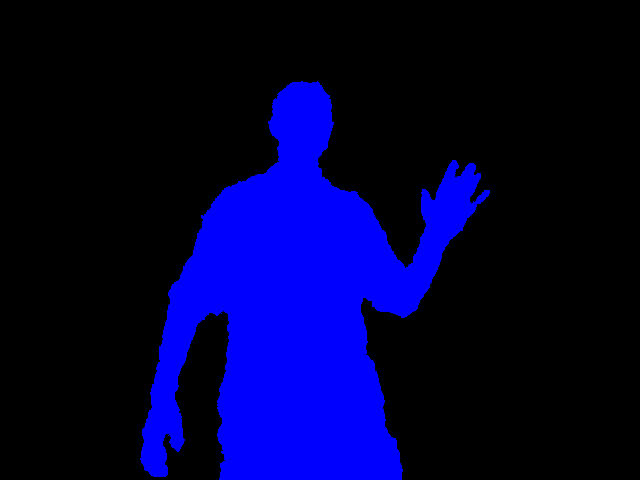
Let’s start with a very basic example that only requires the SimpleOpenNI library, which might be the most problematic to install given the external depencies. I can recommend following the provided installation instruction closely. This is a very short and very basic code example to make sure the Kinect and the SimpleOpenNI library are both installed and working correctly. If everything works as intended, when running the first code example you should see a colored silhouette of yourself as you stand in front of the Kinect camera (as shown above).
// Kinect Basic Example by Amnon Owed (15/09/12)

// import library
import SimpleOpenNI.*;
// declare SimpleOpenNI object
SimpleOpenNI context;

// PImage to hold incoming imagery
PImage cam;

void setup() {
  // same as Kinect dimensions
  size(640, 480);
  // initialize SimpleOpenNI object
  context = new SimpleOpenNI(this);
  if (!context.enableScene()) {
    // if context.enableScene() returns false
    // then the Kinect is not working correctly
    // make sure the green light is blinking
    println("Kinect not connected!");
    exit();
  } else {
    // mirror the image to be more intuitive
    context.setMirror(true);
  }
}

void draw() {
  // update the SimpleOpenNI object
  context.update();
  // put the image into a PImage
  cam = context.sceneImage().get();
  // display the image
  image(cam, 0, 0);
}
Example 2: Kinect Flow (libs: SimpleOpenNI, v3ga)
This second example takes things a little further. To turn a colored silhouette into a polygon, we need to first find it’s outer contour points and second find the correct order in which they form a polygon. To find the contour points of shapes, we can use blob detection. I’ve looked at several blob detection libraries and found v3ga to work quite well. First, it’s fast, which is important because you want things to run in real-time. Second, it returns an array of ordered points. While not polygon-worthy yet, it’s an important step towards a correctly formed polygon. I’ve compressed all the relevant code into the createPolygon() method of the PolygonBlob class. I’ve found the code to work quite well in turning a blob into points into a correct polygon. But of course, there may be room for improvement. Note that both the second and third example have been written for one person in front of a Kinect, but quick tests show that the code holds up reasonably well (although not perfect) for multiple persons.
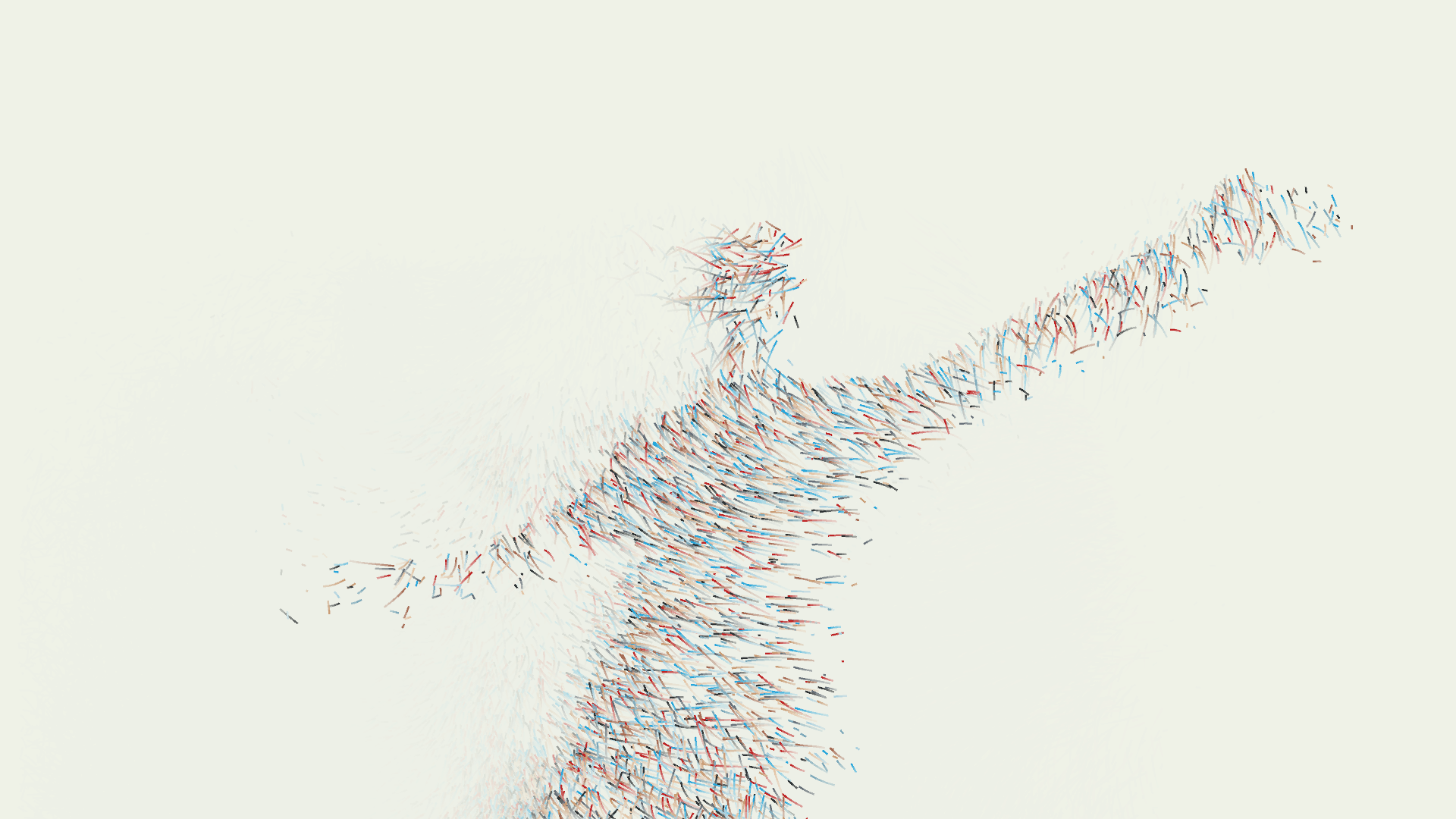
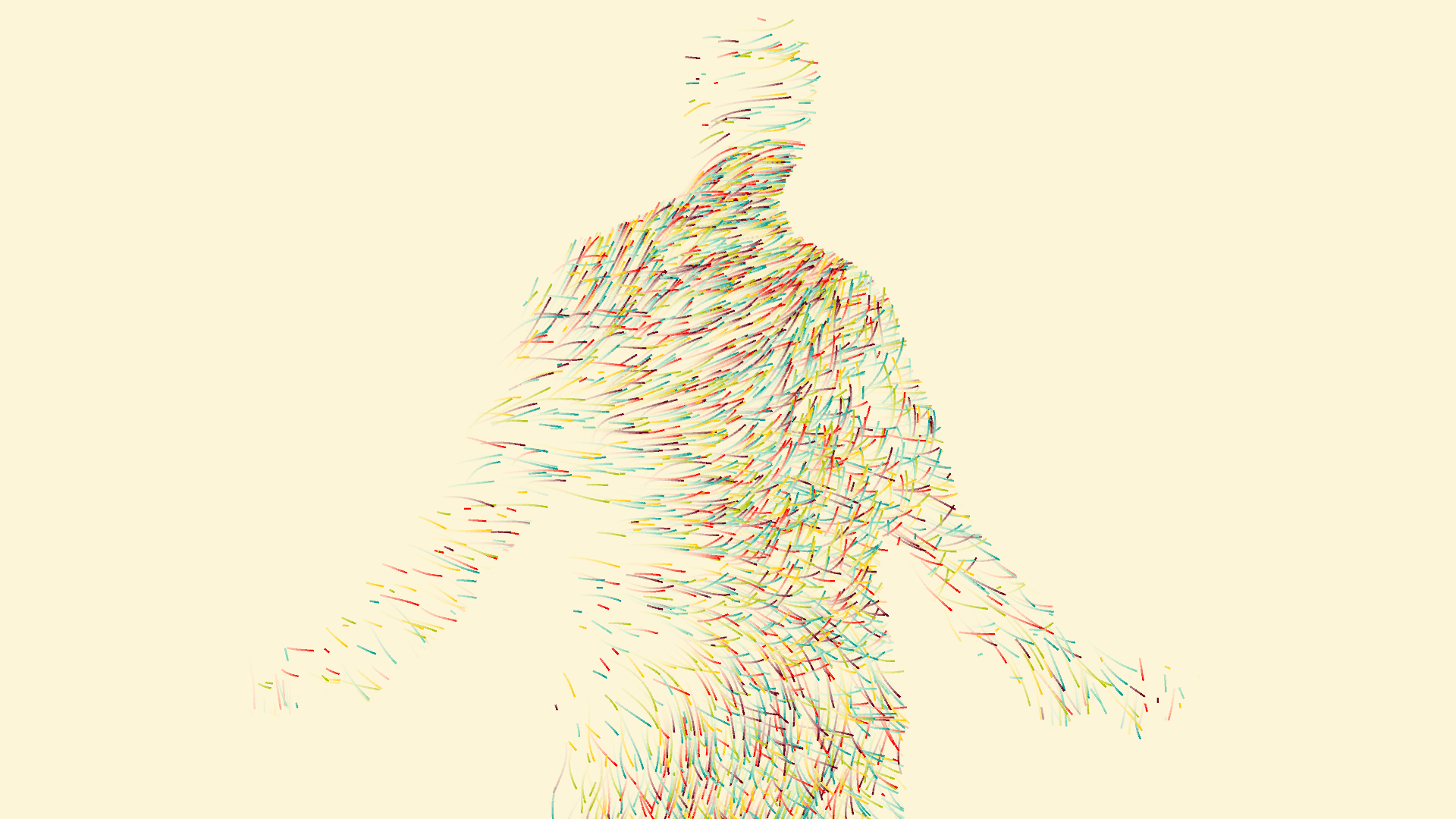
There are many things you could do (besides 2d physics, we’ll get to that in a minute) once you have turned yourself into a quality polygon. I added a few experiments of mine at the end of the video. Some of the things you see there are triangulating the shape, voronoi-ifying the screen and using myself as a mask between two full HD videos (the originals can be found on my vimeo account). These preliminary experiments are just the tiny tip of the iceberg. There are so many things you could do. Which makes it all the more important that you think about what you want to create and which visual style you are after. In this code example the polygon shape is used to control the boundaries of a noise-based flow of particles. The code is simplified as much as possible and fully commented, so feel free to run and read the code to see what it does exactly. You will need the main sketch and the two classes.
Main Sketch
// Kinect Flow Example by Amnon Owed (15/09/12)

// import libraries
import processing.opengl.*; // opengl
import SimpleOpenNI.*; // kinect
import blobDetection.*; // blobs

// this is a regular java import so we can use and extend the polygon class (see PolygonBlob)
import java.awt.Polygon;

// declare SimpleOpenNI object
SimpleOpenNI context;
// declare BlobDetection object
BlobDetection theBlobDetection;
// declare custom PolygonBlob object (see class for more info)
PolygonBlob poly = new PolygonBlob();

// PImage to hold incoming imagery and smaller one for blob detection
PImage cam, blobs;
// the kinect's dimensions to be used later on for calculations
int kinectWidth = 640;
int kinectHeight = 480;
// to center and rescale from 640x480 to higher custom resolutions
float reScale;

// background color
color bgColor;
// three color palettes (artifact from me storing many interesting color palettes as strings in an external data file ;-)
String[] palettes = {
  "-1117720,-13683658,-8410437,-9998215,-1849945,-5517090,-4250587,-14178341,-5804972,-3498634",
  "-67879,-9633503,-8858441,-144382,-4996094,-16604779,-588031",
  "-16711663,-13888933,-9029017,-5213092,-1787063,-11375744,-2167516,-15713402,-5389468,-2064585"
};

// an array called flow of 2250 Particle objects (see Particle class)
Particle[] flow = new Particle[2250];
// global variables to influence the movement of all particles
float globalX, globalY;

void setup() {
  // it's possible to customize this, for example 1920x1080
  size(1280, 720, OPENGL);
  // initialize SimpleOpenNI object
  context = new SimpleOpenNI(this);
  if (!context.enableScene()) {
    // if context.enableScene() returns false
    // then the Kinect is not working correctly
    // make sure the green light is blinking
    println("Kinect not connected!");
    exit();
  } else {
    // mirror the image to be more intuitive
    context.setMirror(true);
    // calculate the reScale value
    // currently it's rescaled to fill the complete width (cuts of top-bottom)
    // it's also possible to fill the complete height (leaves empty sides)
    reScale = (float) width / kinectWidth;
    // create a smaller blob image for speed and efficiency
    blobs = createImage(kinectWidth/3, kinectHeight/3, RGB);
    // initialize blob detection object to the blob image dimensions
    theBlobDetection = new BlobDetection(blobs.width, blobs.height);
    theBlobDetection.setThreshold(0.2);
    setupFlowfield();
  }
}

void draw() {
  // fading background
  noStroke();
  fill(bgColor, 65);
  rect(0, 0, width, height);
  // update the SimpleOpenNI object
  context.update();
  // put the image into a PImage
  cam = context.sceneImage().get();
  // copy the image into the smaller blob image
  blobs.copy(cam, 0, 0, cam.width, cam.height, 0, 0, blobs.width, blobs.height);
  // blur the blob image
  blobs.filter(BLUR);
  // detect the blobs
  theBlobDetection.computeBlobs(blobs.pixels);
  // clear the polygon (original functionality)
  poly.reset();
  // create the polygon from the blobs (custom functionality, see class)
  poly.createPolygon();
  drawFlowfield();
}

void setupFlowfield() {
  // set stroke weight (for particle display) to 2.5
  strokeWeight(2.5);
  // initialize all particles in the flow
  for(int i=0; i<flow.length; i++) {
    flow[i] = new Particle(i/10000.0);
  }
  // set all colors randomly now
  setRandomColors(1);
}

void drawFlowfield() {
  // center and reScale from Kinect to custom dimensions
  translate(0, (height-kinectHeight*reScale)/2);
  scale(reScale);
  // set global variables that influence the particle flow's movement
  globalX = noise(frameCount * 0.01) * width/2 + width/4;
  globalY = noise(frameCount * 0.005 + 5) * height;
  // update and display all particles in the flow
  for (Particle p : flow) {
    p.updateAndDisplay();
  }
  // set the colors randomly every 240th frame
  setRandomColors(240);
}

// sets the colors every nth frame
void setRandomColors(int nthFrame) {
  if (frameCount % nthFrame == 0) {
    // turn a palette into a series of strings
    String[] paletteStrings = split(palettes[int(random(palettes.length))], ",");
    // turn strings into colors
    color[] colorPalette = new color[paletteStrings.length];
    for (int i=0; i<paletteStrings.length; i++) {
      colorPalette[i] = int(paletteStrings[i]);
    }
    // set background color to first color from palette
    bgColor = colorPalette[0];
    // set all particle colors randomly to color from palette (excluding first aka background color)
    for (int i=0; i<flow.length; i++) {
      flow[i].col = colorPalette[int(random(1, colorPalette.length))];
    }
  }
}
Particle class
// a basic noise-based moving particle
class Particle {
  // unique id, (previous) position, speed
  float id, x, y, xp, yp, s, d;
  color col; // color

  Particle(float id) {
    this.id = id;
    s = random(2, 6); // speed
  }

  void updateAndDisplay() {
    // let it flow, end with a new x and y position
    id += 0.01;
    d = (noise(id, x/globalY, y/globalY)-0.5)*globalX;
    x += cos(radians(d))*s;
    y += sin(radians(d))*s;

    // constrain to boundaries
    if (x<-10) x=xp=kinectWidth+10; if (x>kinectWidth+10) x=xp=-10;
    if (y<-10) y=yp=kinectHeight+10; if (y>kinectHeight+10) y=yp=-10;

    // if there is a polygon (more than 0 points)
    if (poly.npoints > 0) {
      // if this particle is outside the polygon
      if (!poly.contains(x, y)) {
        // while it is outside the polygon
        while(!poly.contains(x, y)) {
          // randomize x and y
          x = random(kinectWidth);
          y = random(kinectHeight);
        }
        // set previous x and y, to this x and y
        xp=x;
        yp=y;
      }
    }

    // individual particle color
    stroke(col);
    // line from previous to current position
    line(xp, yp, x, y);

    // set previous to current position
    xp=x;
    yp=y;
  }
}
PolygonBlob class
// an extended polygon class with my own customized createPolygon() method (feel free to improve!)
class PolygonBlob extends Polygon {

  // took me some time to make this method fully self-sufficient
  // now it works quite well in creating a correct polygon from a person's blob
  // of course many thanks to v3ga, because the library already does a lot of the work
  void createPolygon() {
    // an arrayList... of arrayLists... of PVectors
    // the arrayLists of PVectors are basically the person's contours (almost but not completely in a polygon-correct order)
    ArrayList<ArrayList> contours = new ArrayList<ArrayList>();
    // helpful variables to keep track of the selected contour and point (start/end point)
    int selectedContour = 0;
    int selectedPoint = 0;

    // create contours from blobs
    // go over all the detected blobs
    for (int n=0 ; n<theBlobDetection.getBlobNb(); n++) { Blob b = theBlobDetection.getBlob(n); // for each substantial blob... if (b != null && b.getEdgeNb() > 100) {
        // create a new contour arrayList of PVectors
        ArrayList contour = new ArrayList();
        // go over all the edges in the blob
        for (int m=0; m<b.getEdgeNb(); m++) { // get the edgeVertices of the edge EdgeVertex eA = b.getEdgeVertexA(m); EdgeVertex eB = b.getEdgeVertexB(m); // if both ain't null... if (eA != null && eB != null) { // get next and previous edgeVertexA EdgeVertex fn = b.getEdgeVertexA((m+1) % b.getEdgeNb()); EdgeVertex fp = b.getEdgeVertexA((max(0, m-1))); // calculate distance between vertexA and next and previous edgeVertexA respectively // positions are multiplied by kinect dimensions because the blob library returns normalized values float dn = dist(eA.x*kinectWidth, eA.y*kinectHeight, fn.x*kinectWidth, fn.y*kinectHeight); float dp = dist(eA.x*kinectWidth, eA.y*kinectHeight, fp.x*kinectWidth, fp.y*kinectHeight); // if either distance is bigger than 15 if (dn > 15 || dp > 15) {
              // if the current contour size is bigger than zero
              if (contour.size() > 0) {
                // add final point
                contour.add(new PVector(eB.x*kinectWidth, eB.y*kinectHeight));
                // add current contour to the arrayList
                contours.add(contour);
                // start a new contour arrayList
                contour = new ArrayList();
              // if the current contour size is 0 (aka it's a new list)
              } else {
                // add the point to the list
                contour.add(new PVector(eA.x*kinectWidth, eA.y*kinectHeight));
              }
            // if both distance are smaller than 15 (aka the points are close)
            } else {
              // add the point to the list
              contour.add(new PVector(eA.x*kinectWidth, eA.y*kinectHeight));
            }
          }
        }
      }
    }

    // at this point in the code we have a list of contours (aka an arrayList of arrayLists of PVectors)
    // now we need to sort those contours into a correct polygon. To do this we need two things:
    // 1. The correct order of contours
    // 2. The correct direction of each contour

    // as long as there are contours left...
    while (contours.size() > 0) {

      // find next contour
      float distance = 999999999;
      // if there are already points in the polygon
      if (npoints > 0) {
        // use the polygon's last point as a starting point
        PVector lastPoint = new PVector(xpoints[npoints-1], ypoints[npoints-1]);
        // go over all contours
        for (int i=0; i<contours.size(); i++) {
          ArrayList c = contours.get(i);
          // get the contour's first point
          PVector fp = c.get(0);
          // get the contour's last point
          PVector lp = c.get(c.size()-1);
          // if the distance between the current contour's first point and the polygon's last point is smaller than distance
          if (fp.dist(lastPoint) < distance) {
            // set distance to this distance
            distance = fp.dist(lastPoint);
            // set this as the selected contour
            selectedContour = i;
            // set selectedPoint to 0 (which signals first point)
            selectedPoint = 0;
          }
          // if the distance between the current contour's last point and the polygon's last point is smaller than distance
          if (lp.dist(lastPoint) < distance) {
            // set distance to this distance
            distance = lp.dist(lastPoint);
            // set this as the selected contour
            selectedContour = i;
            // set selectedPoint to 1 (which signals last point)
            selectedPoint = 1;
          }
        }
      // if the polygon is still empty
      } else {
        // use a starting point in the lower-right
        PVector closestPoint = new PVector(width, height);
        // go over all contours
        for (int i=0; i<contours.size(); i++) {
          ArrayList c = contours.get(i);
          // get the contour's first point
          PVector fp = c.get(0);
          // get the contour's last point
          PVector lp = c.get(c.size()-1);
          // if the first point is in the lowest 5 pixels of the (kinect) screen and more to the left than the current closestPoint
          if (fp.y > kinectHeight-5 && fp.x < closestPoint.x) { // set closestPoint to first point closestPoint = fp; // set this as the selected contour selectedContour = i; // set selectedPoint to 0 (which signals first point) selectedPoint = 0; } // if the last point is in the lowest 5 pixels of the (kinect) screen and more to the left than the current closestPoint if (lp.y > kinectHeight-5 && lp.x < closestPoint.y) {
            // set closestPoint to last point
            closestPoint = lp;
            // set this as the selected contour
            selectedContour = i;
            // set selectedPoint to 1 (which signals last point)
            selectedPoint = 1;
          }
        }
      }

      // add contour to polygon
      ArrayList contour = contours.get(selectedContour);
      // if selectedPoint is bigger than zero (aka last point) then reverse the arrayList of points
      if (selectedPoint > 0) { Collections.reverse(contour); }
      // add all the points in the contour to the polygon
      for (PVector p : contour) {
        addPoint(int(p.x), int(p.y));
      }
      // remove this contour from the list of contours
      contours.remove(selectedContour);
      // the while loop above makes all of this code loop until the number of contours is zero
      // at that time all the points in all the contours have been added to the polygon... in the correct order (hopefully)
    }
  }
}


Example 3: Kinect Physics (libs: SimpleOpenNI, v3ga, Toxiclibs, PBox2D)
All right, now for the pièce de résistance of this tutorial. Realtime interaction with onscreen geometry. To do this we will be using Daniel Shiffman’s PBox2D library, which is a Processing wrapper library for the Jbox2D library, which is a port of the C++ Box2D library. Gotta love open source! ;-) This code example builds on the work done in the previous example. The createPolygon() method is nearly identical. The PolygonBlob class is now extending Toxiclibs’ Polygon2D class. The main difference is that code has been added to create and destroy box2d bodies (which will allow 2D physics).
What this code does in words: create a silhouette from a person, turn this silhouette into points, turn these points into a polygon, turn this polygon into a deflective shape in the box2d physics world. Because all the other geometry is transferred into the same physics world, interaction between person and onscreen geometry becomes possible. Of course there are some challenges, in addition to the mentioned steps. For example, while the original virtual geometry is pretty solid, the person’s contours are ever changing, especially when the person is moving around a lot. This will result in errors in the collision detection (aka geometry will end up inside a person). That is also one of the reasons to use Toxiclibs, because it has methods that help us check if a point is inside a polygon and if so, to find the closest point on the outer contours and move the geometry to that point. It’s a bit of a quick workaround, but it works quite well. When moving slowly or not at all, this workaround isn’t used anyway, since the regular collision detection will be effective under those conditions. However if a person is moving around quickly and you don’t want geometry inside the person nor delete it, then this shortcut is useful. Although at times it may cause some non-physically correct overlapping of shapes near the contours. All in all, you can see in the video that using this combination of techniques allows you to interact with the falling shapes on your screen. Again, to run the code you will need the main sketch and the two classes.
Main Sketch
// Kinect Physics Example by Amnon Owed (15/09/12)

// import libraries
import processing.opengl.*; // opengl
import SimpleOpenNI.*; // kinect
import blobDetection.*; // blobs
import toxi.geom.*; // toxiclibs shapes and vectors
import toxi.processing.*; // toxiclibs display
import pbox2d.*; // shiffman's jbox2d helper library
import org.jbox2d.collision.shapes.*; // jbox2d
import org.jbox2d.common.*; // jbox2d
import org.jbox2d.dynamics.*; // jbox2d

// declare SimpleOpenNI object
SimpleOpenNI context;
// declare BlobDetection object
BlobDetection theBlobDetection;
// ToxiclibsSupport for displaying polygons
ToxiclibsSupport gfx;
// declare custom PolygonBlob object (see class for more info)
PolygonBlob poly;

// PImage to hold incoming imagery and smaller one for blob detection
PImage cam, blobs;
// the kinect's dimensions to be used later on for calculations
int kinectWidth = 640;
int kinectHeight = 480;
// to center and rescale from 640x480 to higher custom resolutions
float reScale;

// background and blob color
color bgColor, blobColor;
// three color palettes (artifact from me storing many interesting color palettes as strings in an external data file ;-)
String[] palettes = {
  "-1117720,-13683658,-8410437,-9998215,-1849945,-5517090,-4250587,-14178341,-5804972,-3498634",
  "-67879,-9633503,-8858441,-144382,-4996094,-16604779,-588031",
  "-1978728,-724510,-15131349,-13932461,-4741770,-9232823,-3195858,-8989771,-2850983,-10314372"
};
color[] colorPalette;

// the main PBox2D object in which all the physics-based stuff is happening
PBox2D box2d;
// list to hold all the custom shapes (circles, polygons)
ArrayList polygons = new ArrayList();

void setup() {
  // it's possible to customize this, for example 1920x1080
  size(1280, 720, OPENGL);
  context = new SimpleOpenNI(this);
  // initialize SimpleOpenNI object
  if (!context.enableScene()) {
    // if context.enableScene() returns false
    // then the Kinect is not working correctly
    // make sure the green light is blinking
    println("Kinect not connected!");
    exit();
  } else {
    // mirror the image to be more intuitive
    context.setMirror(true);
    // calculate the reScale value
    // currently it's rescaled to fill the complete width (cuts of top-bottom)
    // it's also possible to fill the complete height (leaves empty sides)
    reScale = (float) width / kinectWidth;
    // create a smaller blob image for speed and efficiency
    blobs = createImage(kinectWidth/3, kinectHeight/3, RGB);
    // initialize blob detection object to the blob image dimensions
    theBlobDetection = new BlobDetection(blobs.width, blobs.height);
    theBlobDetection.setThreshold(0.2);
    // initialize ToxiclibsSupport object
    gfx = new ToxiclibsSupport(this);
    // setup box2d, create world, set gravity
    box2d = new PBox2D(this);
    box2d.createWorld();
    box2d.setGravity(0, -20);
    // set random colors (background, blob)
    setRandomColors(1);
  }
}

void draw() {
  background(bgColor);
  // update the SimpleOpenNI object
  context.update();
  // put the image into a PImage
  cam = context.sceneImage().get();
  // copy the image into the smaller blob image
  blobs.copy(cam, 0, 0, cam.width, cam.height, 0, 0, blobs.width, blobs.height);
  // blur the blob image
  blobs.filter(BLUR, 1);
  // detect the blobs
  theBlobDetection.computeBlobs(blobs.pixels);
  // initialize a new polygon
  poly = new PolygonBlob();
  // create the polygon from the blobs (custom functionality, see class)
  poly.createPolygon();
  // create the box2d body from the polygon
  poly.createBody();
  // update and draw everything (see method)
  updateAndDrawBox2D();
  // destroy the person's body (important!)
  poly.destroyBody();
  // set the colors randomly every 240th frame
  setRandomColors(240);
}

void updateAndDrawBox2D() {
  // if frameRate is sufficient, add a polygon and a circle with a random radius
  if (frameRate > 29) {
    polygons.add(new CustomShape(kinectWidth/2, -50, -1));
    polygons.add(new CustomShape(kinectWidth/2, -50, random(2.5, 20)));
  }
  // take one step in the box2d physics world
  box2d.step();

  // center and reScale from Kinect to custom dimensions
  translate(0, (height-kinectHeight*reScale)/2);
  scale(reScale);

  // display the person's polygon
  noStroke();
  fill(blobColor);
  gfx.polygon2D(poly);

  // display all the shapes (circles, polygons)
  // go backwards to allow removal of shapes
  for (int i=polygons.size()-1; i>=0; i--) {
    CustomShape cs = polygons.get(i);
    // if the shape is off-screen remove it (see class for more info)
    if (cs.done()) {
      polygons.remove(i);
    // otherwise update (keep shape outside person) and display (circle or polygon)
    } else {
      cs.update();
      cs.display();
    }
  }
}

// sets the colors every nth frame
void setRandomColors(int nthFrame) {
  if (frameCount % nthFrame == 0) {
    // turn a palette into a series of strings
    String[] paletteStrings = split(palettes[int(random(palettes.length))], ",");
    // turn strings into colors
    colorPalette = new color[paletteStrings.length];
    for (int i=0; i<paletteStrings.length; i++) {
      colorPalette[i] = int(paletteStrings[i]);
    }
    // set background color to first color from palette
    bgColor = colorPalette[0];
    // set blob color to second color from palette
    blobColor = colorPalette[1];
    // set all shape colors randomly
    for (CustomShape cs: polygons) { cs.col = getRandomColor(); }
  }
}

// returns a random color from the palette (excluding first aka background color)
color getRandomColor() {
  return colorPalette[int(random(1, colorPalette.length))];
}
CustomShape class
// usually one would probably make a generic Shape class and subclass different types (circle, polygon), but that
// would mean at least 3 instead of 1 class, so for this tutorial it's a combi-class CustomShape for all types of shapes
// to save some space and keep the code as concise as possible I took a few shortcuts to prevent repeating the same code
class CustomShape {
  // to hold the box2d body
  Body body;
  // to hold the Toxiclibs polygon shape
  Polygon2D toxiPoly;
  // custom color for each shape
  color col;
  // radius (also used to distinguish between circles and polygons in this combi-class
  float r;

  CustomShape(float x, float y, float r) {
    this.r = r;
    // create a body (polygon or circle based on the r)
    makeBody(x, y);
    // get a random color
    col = getRandomColor();
  }

  void makeBody(float x, float y) {
    // define a dynamic body positioned at xy in box2d world coordinates,
    // create it and set the initial values for this box2d body's speed and angle
    BodyDef bd = new BodyDef();
    bd.type = BodyType.DYNAMIC;
    bd.position.set(box2d.coordPixelsToWorld(new Vec2(x, y)));
    body = box2d.createBody(bd);
    body.setLinearVelocity(new Vec2(random(-8, 8), random(2, 8)));
    body.setAngularVelocity(random(-5, 5));

    // depending on the r this combi-code creates either a box2d polygon or a circle
    if (r == -1) {
      // box2d polygon shape
      PolygonShape sd = new PolygonShape();
      // toxiclibs polygon creator (triangle, square, etc)
      toxiPoly = new Circle(random(5, 20)).toPolygon2D(int(random(3, 6)));
      // place the toxiclibs polygon's vertices into a vec2d array
      Vec2[] vertices = new Vec2[toxiPoly.getNumPoints()];
      for (int i=0; i<vertices.length; i++) {
        Vec2D v = toxiPoly.vertices.get(i);
        vertices[i] = box2d.vectorPixelsToWorld(new Vec2(v.x, v.y));
      }
      // put the vertices into the box2d shape
      sd.set(vertices, vertices.length);
      // create the fixture from the shape (deflect things based on the actual polygon shape)
      body.createFixture(sd, 1);
    } else {
      // box2d circle shape of radius r
      CircleShape cs = new CircleShape();
      cs.m_radius = box2d.scalarPixelsToWorld(r);
      // tweak the circle's fixture def a little bit
      FixtureDef fd = new FixtureDef();
      fd.shape = cs;
      fd.density = 1;
      fd.friction = 0.01;
      fd.restitution = 0.3;
      // create the fixture from the shape's fixture def (deflect things based on the actual circle shape)
      body.createFixture(fd);
    }
  }

  // method to loosely move shapes outside a person's polygon
  // (alternatively you could allow or remove shapes inside a person's polygon)
  void update() {
    // get the screen position from this shape (circle of polygon)
    Vec2 posScreen = box2d.getBodyPixelCoord(body);
    // turn it into a toxiclibs Vec2D
    Vec2D toxiScreen = new Vec2D(posScreen.x, posScreen.y);
    // check if this shape's position is inside the person's polygon
    boolean inBody = poly.containsPoint(toxiScreen);
    // if a shape is inside the person
    if (inBody) {
      // find the closest point on the polygon to the current position
      Vec2D closestPoint = toxiScreen;
      float closestDistance = 9999999;
      for (Vec2D v : poly.vertices) {
        float distance = v.distanceTo(toxiScreen);
        if (distance < closestDistance) { closestDistance = distance; closestPoint = v; } } // create a box2d position from the closest point on the polygon Vec2 contourPos = new Vec2(closestPoint.x, closestPoint.y); Vec2 posWorld = box2d.coordPixelsToWorld(contourPos); float angle = body.getAngle(); // set the box2d body's position of this CustomShape to the new position (use the current angle) body.setTransform(posWorld, angle); } } // display the customShape void display() { // get the pixel coordinates of the body Vec2 pos = box2d.getBodyPixelCoord(body); pushMatrix(); // translate to the position translate(pos.x, pos.y); noStroke(); // use the shape's custom color fill(col); // depending on the r this combi-code displays either a polygon or a circle if (r == -1) { // rotate by the body's angle float a = body.getAngle(); rotate(-a); // minus! gfx.polygon2D(toxiPoly); } else { ellipse(0, 0, r*2, r*2); } popMatrix(); } // if the shape moves off-screen, destroy the box2d body (important!) // and return true (which will lead to the removal of this CustomShape object) boolean done() { Vec2 posScreen = box2d.getBodyPixelCoord(body); boolean offscreen = posScreen.y > height;
    if (offscreen) {
      box2d.destroyBody(body);
      return true;
    }
    return false;
  }
}
PolygonBlob class
// an extended polygon class quite similar to the earlier PolygonBlob class (but extending Toxiclibs' Polygon2D class instead)
// The main difference is that this one is able to create (and destroy) a box2d body from it's own shape
class PolygonBlob extends Polygon2D {
  // to hold the box2d body
  Body body;

  // the createPolygon() method is nearly identical to the one presented earlier
  // see the Kinect Flow Example for a more detailed description of this method (again, feel free to improve it)
  void createPolygon() {
    ArrayList<ArrayList> contours = new ArrayList<ArrayList>();
    int selectedContour = 0;
    int selectedPoint = 0;

    // create contours from blobs
    for (int n=0 ; n<theBlobDetection.getBlobNb(); n++) { Blob b = theBlobDetection.getBlob(n); if (b != null && b.getEdgeNb() > 100) {
        ArrayList contour = new ArrayList();
        for (int m=0; m<b.getEdgeNb(); m++) { EdgeVertex eA = b.getEdgeVertexA(m); EdgeVertex eB = b.getEdgeVertexB(m); if (eA != null && eB != null) { EdgeVertex fn = b.getEdgeVertexA((m+1) % b.getEdgeNb()); EdgeVertex fp = b.getEdgeVertexA((max(0, m-1))); float dn = dist(eA.x*kinectWidth, eA.y*kinectHeight, fn.x*kinectWidth, fn.y*kinectHeight); float dp = dist(eA.x*kinectWidth, eA.y*kinectHeight, fp.x*kinectWidth, fp.y*kinectHeight); if (dn > 15 || dp > 15) {
              if (contour.size() > 0) {
                contour.add(new PVector(eB.x*kinectWidth, eB.y*kinectHeight));
                contours.add(contour);
                contour = new ArrayList();
              } else {
                contour.add(new PVector(eA.x*kinectWidth, eA.y*kinectHeight));
              }
            } else {
              contour.add(new PVector(eA.x*kinectWidth, eA.y*kinectHeight));
            }
          }
        }
      }
    }

    while (contours.size() > 0) {

      // find next contour
      float distance = 999999999;
      if (getNumPoints() > 0) {
        Vec2D vecLastPoint = vertices.get(getNumPoints()-1);
        PVector lastPoint = new PVector(vecLastPoint.x, vecLastPoint.y);
        for (int i=0; i<contours.size(); i++) {
          ArrayList c = contours.get(i);
          PVector fp = c.get(0);
          PVector lp = c.get(c.size()-1);
          if (fp.dist(lastPoint) < distance) {
            distance = fp.dist(lastPoint);
            selectedContour = i;
            selectedPoint = 0;
          }
          if (lp.dist(lastPoint) < distance) {
            distance = lp.dist(lastPoint);
            selectedContour = i;
            selectedPoint = 1;
          }
        }
      } else {
        PVector closestPoint = new PVector(width, height);
        for (int i=0; i<contours.size(); i++) {
          ArrayList c = contours.get(i);
          PVector fp = c.get(0);
          PVector lp = c.get(c.size()-1);
          if (fp.y > kinectHeight-5 && fp.x < closestPoint.x) { closestPoint = fp; selectedContour = i; selectedPoint = 0; } if (lp.y > kinectHeight-5 && lp.x < closestPoint.y) {
            closestPoint = lp;
            selectedContour = i;
            selectedPoint = 1;
          }
        }
      }

      // add contour to polygon
      ArrayList contour = contours.get(selectedContour);
      if (selectedPoint > 0) { Collections.reverse(contour); }
      for (PVector p : contour) {
        add(new Vec2D(p.x, p.y));
      }
      contours.remove(selectedContour);
    }
  }

  // creates a shape-deflecting physics chain in the box2d world from this polygon
  void createBody() {
    // for stability the body is always created (and later destroyed)
    BodyDef bd = new BodyDef();
    body = box2d.createBody(bd);
    // if there are more than 0 points (aka a person on screen)...
    if (getNumPoints() > 0) {
      // create a vec2d array of vertices in box2d world coordinates from this polygon
      Vec2[] verts = new Vec2[getNumPoints()];
      for (int i=0; i<getNumPoints(); i++) {
        Vec2D v = vertices.get(i);
        verts[i] = box2d.coordPixelsToWorld(v.x, v.y);
      }
      // create a chain from the array of vertices
      ChainShape chain = new ChainShape();
      chain.createChain(verts, verts.length);
      // create fixture in body from the chain (this makes it actually deflect other shapes)
      body.createFixture(chain, 1);
    }
  }

  // destroy the box2d body (important!)
  void destroyBody() {
    box2d.destroyBody(body);
  }
}
This is a hands-on tutorial so feel free to run the code, tweak it, read the comments to learn what it does exactly and perhaps make some other cool stuff with it. Either physics-based or just using the polygon itself to create some interesting visual experiments as I did at the end of my video. Good luck and happy coding! :D