
Flow, currently in public Beta, is a Visual Workflow Manager developed by GridIron Software to keep creative professionals streamlined and informed about their project.
Flow is one of those pieces of software that does not require any maintenance, re-adjustment in your methods of working or learning. Always running in the background, Flow creates associations between files you create or modify, elements you copy and paste and much more.
When first installed, Flow takes a long time to scan all the files on your disk. This is not for the purpose of creating relations, as it doesn’t know about them but rather what is going to happen from now on. It is very hard to see it’s purpose until few weeks have passed and suddenly relationships are created between the files. This is why this post comes weeks after first install, because to really evaluate the app, one needs to allow it enough background scanning time.
It has now been 3.5 weeks and flow has been running in the background ever since. The Flow cache (FlowData folder located in the root of your drive) has grown to 3.4GB. This is where all the references to your files are located as well as various versions. Each file you have worked on has some form of presence within Flow. Not necessarily linked to any other file if you have created it from scratch. If you used a template, or another file as a starting point, Flow will display those relationships.
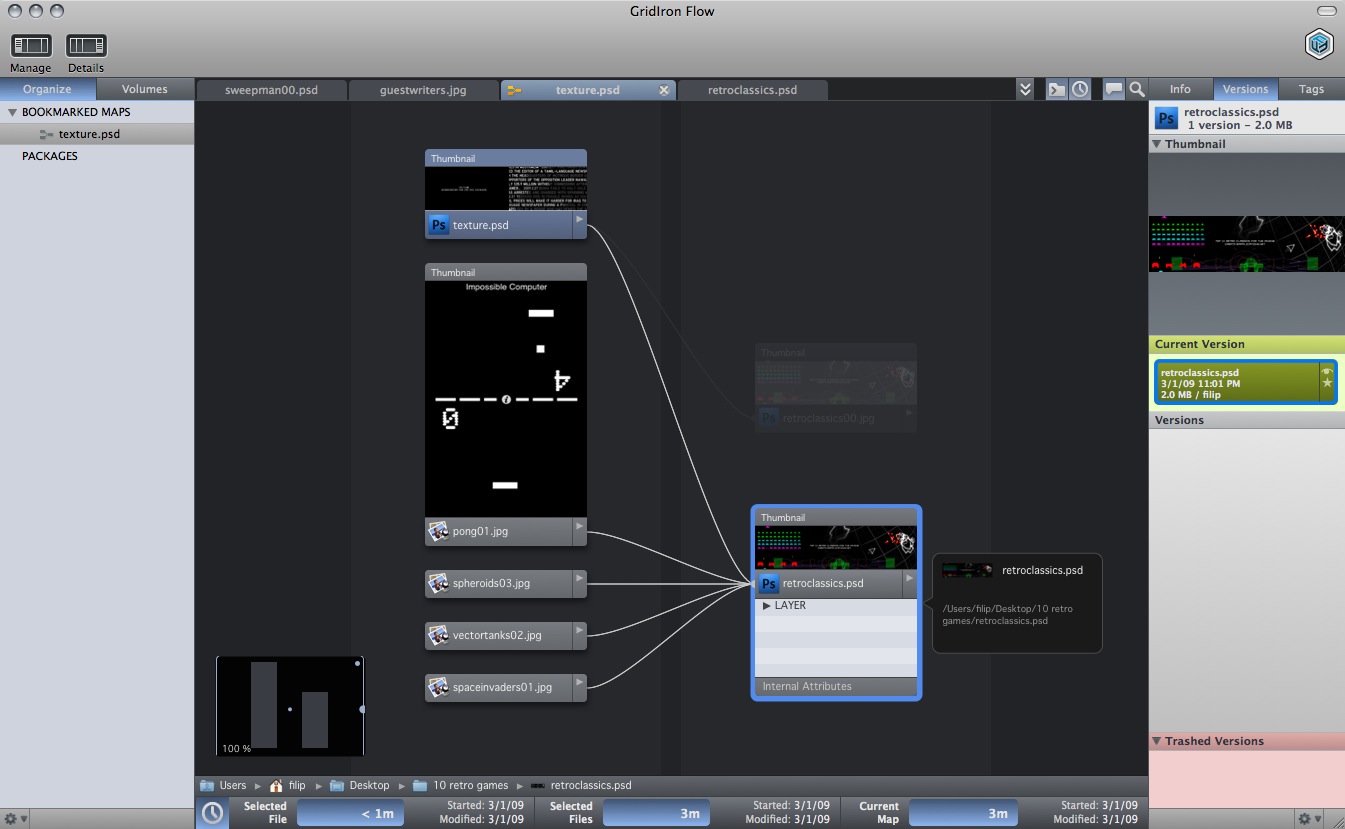
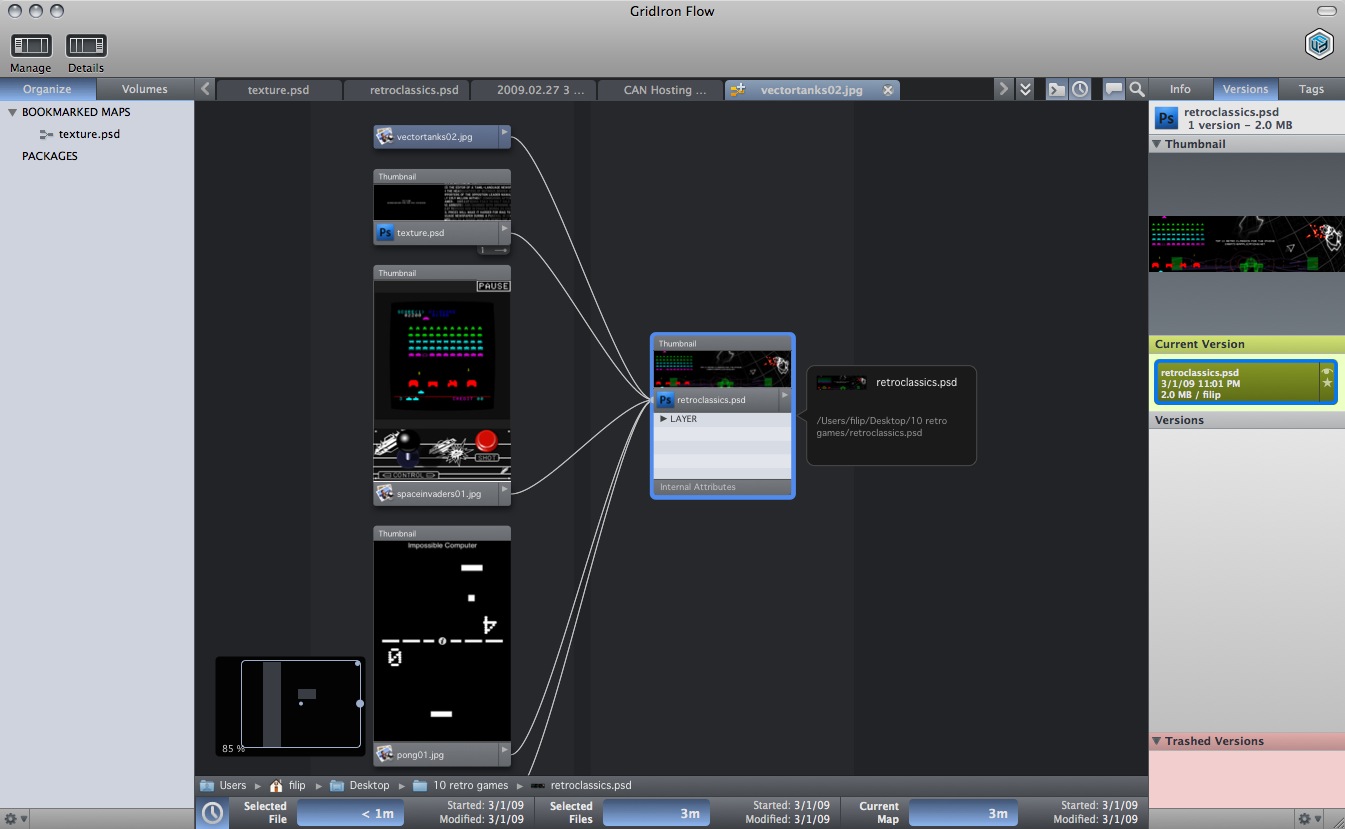
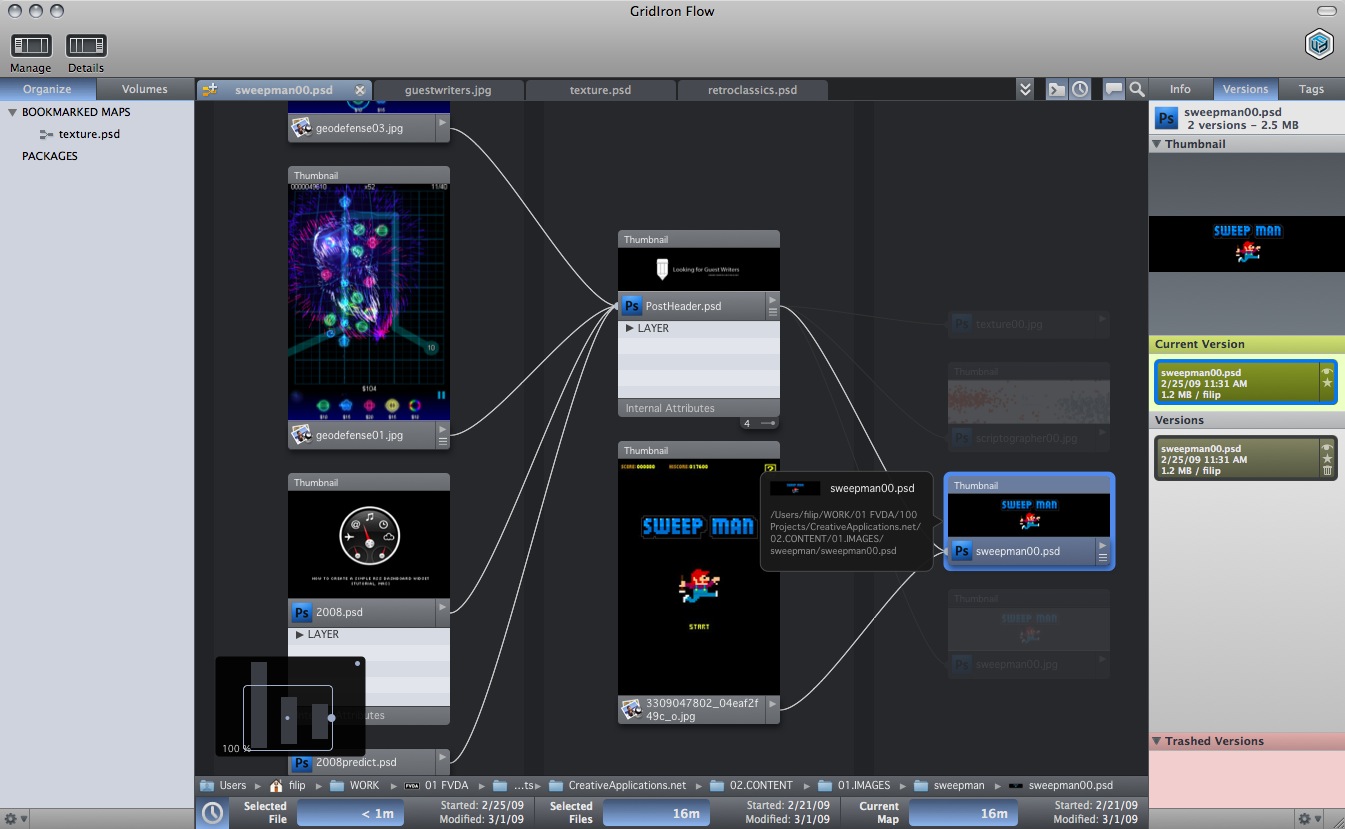
In the app’s main interface, reminiscent of Softimage and Apple’s Shake node structure, you can see all your project files, how they’re related to each other, and where they’re located—on a local drive, on a network volume, even on a DVD you burned a few months ago. This mapped view of your project gives you instant access to any file you need—and any version of that file, even if you’ve overwritten it while making changes. Flow even alerts you if you try to modify or delete a file that you shouldn’t.
In addition, each file has time associated with it, ie time you spent working on that file. Flow is even clever enough to understand idle time, the time you spent with the file open but did not do any work on it.
What is great about Flow is that it helps you be totally organized without organizing anything. Most of the time you may not feel like you need to use it but days will come when you may remember a file and an element within that file you need and using Flow to track it down can be really useful.
Say for example you are working on a PSD file, you saved a web version and published it on the web. Few weeks later you know that the format and size of that PSD file is also ideally suited for another project. You find the file, use it again, create a new export and save it as. Flow will keep the track of all of this and if you would like to find out where and how that file was used you can always bring it up and see all the relationships.
When it comes to projects, you can group files using Flow according to your workflow. Flow is also great when it comes to packaging your project. Flow gathers all your files, versions and fonts, regardless of the application and the workflow map shows how all of the pieces fit together.
Flow is one of those tools that, you could say, should be system wide feature rather than a separate application. One can be sure that Apple is working on a similar concept. Spotlight search was the first step in this direction. Flow has picked up where Apple left of and taken the concept of filing many steps further. Seeing Flow in action makes you wonder whether the old days of folder management are over. Are we going to see folders gone forever and system of project file relationships as a replacement? This remains to be seen. What is for sure is that Flow provides a very innovative way to think about files. The question about the price will definitely spark some debate but in my opinion Flow is more of a $59.00 app than a $249.  Nevertheless, Flow is definitely a great new and gorgeous way to think about your files.
Features:
• Workflow Maps
• Real-Time Asset Tracking
• Visual Versioning
• Visual Search
• Foolproof Packaging
• Time Tracking
• Custom Tags
• Tabs and Bookmarks
The current download is for Mac only but a Windows version will arrive soon. We have also put together a little video guide of the app but you can find plenty more videos and guides on the GridIron Software website.
Platform: Mac/Windows (soon)
Version:Â 1.0 (Public Beta)
Cost:Â $249
Developer:Â GridIron Software
Download Demo