
iPhone development is red hot right now, with thousands of individual developers and big brands trying to carve out a miniscule piece of the Apple’s rather large pie for themselves. Aside from the profit aspect, there are many creative programmers looking to experiment with a powerful, hand-held, multitouch multitouch device. With it’s advanced features, such as audio input / output, accelerometer, wifi, bluetooth, and location awareness, the iPhone really is a device that many people have been dreaming about for years. To program for the iPhone, a developer typically has to learn ObjectiveC and it doesn’t hurt to know some C / C++ since a lot of iPhone libraries are written in that.
ObjectiveC is an object oriented language like any other, and takes a little time to become familiar with it, due to it’s specific brand of memory management and unique syntax.
The interface framework (UIKit) is good and very well suited to touch devices, though it’s clear that Apple doesn’t really want people to mess with it. Trying to change the look and feel of built in components can be a real challenge (or be downright impossible) sometimes, since the source code to those components is not available.
People looking to get the best possible performance or write cross-platform code will find that plain ObjectiveC has trouble meeting those goals.

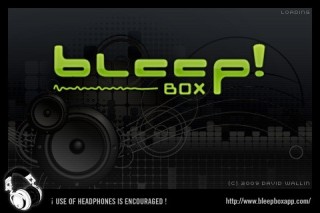
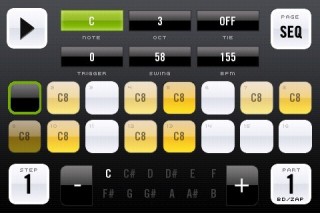
For these reasons, I chose to look for an alternative that would let me work mostly in C++ which I am already very familiar with. The one I decided on was the libNUI framework. Having worked extensively with Juce, I’ve come to appreciate the value of a comprehensive cross-platform framework that compiles under Mac, Linux and PC and provides abstracted access to low-level hardware such as audio, networking and graphics. LibNUI offers the same thing – a set of code that handles all the OS specific stuff for you, and provides you with a set of GUI widgets that can be easily extended or modified to meet your needs. It also provides you with the full source code so you can see how everything works and make your own changes. Since it’s 99% written in C++, performance for stuff like audio is very good. Plus, I can compile the same application on my Mac desktop, my PC or my Linux box and it works with minimal changes. I’ve currently written two iPhone apps using libNUI – bleep!BOX and bleep!Synth. I am currently exploring a Mac/PC VST version of bleep!BOX as well, and was able to get it compiled and running in only a couple hours.
Some caveats about libNUI – it’s still very heavily under development and things are being added and fixed all the time. Documentation is a little sparse but it’s getting better. There are tutorial applications you can build to learn your way around. But if you are not comfortable digging into code and figuring out how it works, libNUI may not be for you. Expect to spend several days just learning how things work.
For those looking to experiment with graphics and sound, there is also Open Frameworks which was used in the Thump app. It’s a very basic framework around OpenGL and audio/networking protocols. It’s nowhere near as exhaustive as libNUI, but if you want something basic that you can pick up quickly, OF is a good option. Like libNUI, it’s also cross platform and open source (and C++).

If games are what you’d like to get into, a couple of the major open source 3d engines, Ogre3D and Irrlicht now compile on the iPhone. No doubt they can be used for creative coding too.
Have another iPhone framework that we missed? Post it in the comments.